App Store Screenshots (5)

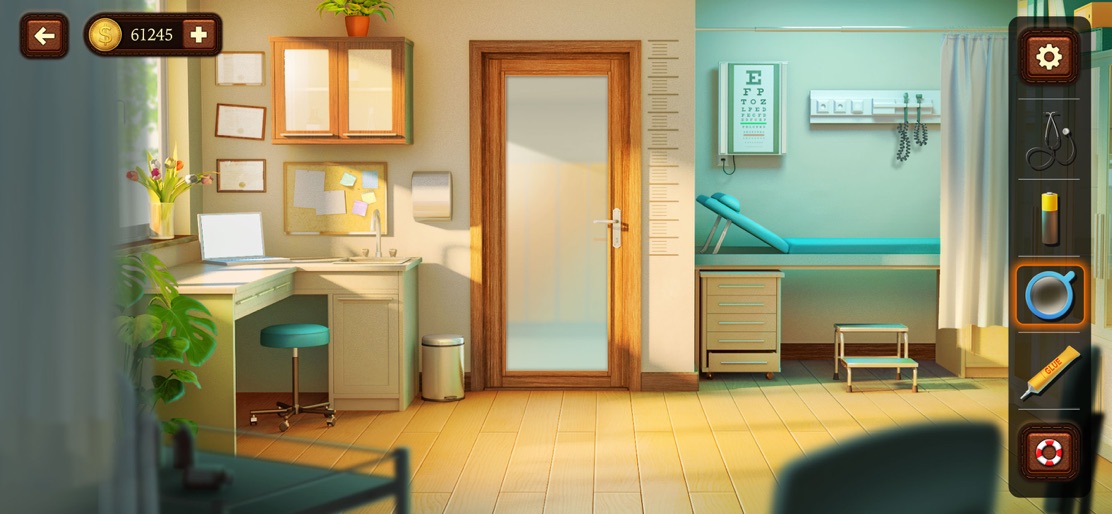


Design Analysis
Visual Design
Style: Custom
Key Features Shown
- •Inventory Management System
- •Themed Classrooms (Chemistry, Music, Geography, Medical)
- •Currency/Coin tracking
- •Hint/Help system (Lifebuoy icon)
App Insights
Target: Casual puzzle gamers and students interested in 'escape room' mechanics with a specific focus on school-themed environments.
- •In-App Purchases (Hints, Skips, Coins)
- •Rewarded Video Ads (Lucky Spin, Free Hints)
- •Interstitial Ads
ASO Keywords:
About 100 Doors Escape Game
Explore intricate classrooms and escape from school. Are you clever enough to navigate the challenges and unlock the mysteries that lie within the school walls? We dare you to take a new challenge: unlock 100 doors playing this school escape game! Find hidden objects, solve puzzles & escape room with brand new 100 Doors Games: Escape from School. The most exciting thing about this new hundred doors game challenge is that it’s a lot more than 100 levels and we are adding new ones regularly! 100 Doors Game is simple to play, but yet very complicated to beat! So, get some gain for your brain and have fun! Only the smartest people can beat this hundred doors game challenge. Are you one of them? Download this free school escape game and challenge others to see who's going to unlock all doors in 100 doors game! 100 DOORS GAMES: ESCAPE FROM SCHOOL – GAMEPLAY Here's the thing – Mya (you'll meet her) is locked up in a school (you'll discover why). The main objective in this hundred doors game challenge is to help her escape the room and find the exit so she can get home to her parents and her cozy bed. To unlock the door lock, you'll have to find hidden objects and solve some awesome puzzles using your device in all the ways you can possibly imagine. In order to escape school, you need to unlock more than 100 doors and escape the room. If you can't make it by yourself, we got you – hints are very helpful and you can use them any time you want! 100 DOORS GAMES: ESCAPE FROM SCHOOL FEATURES: - Exciting puzzles with hidden objects and conundrums to solve; - Cool mechanics: move in time and space, combine objects, play brain games - Awesome levels with cool animations; - Lucky spin to get FREE HINTS - Logical tasks; - Amazing graphics with special attention to details - Simple to play, complicated to beat - Different rooms - art, chemistry, music & history classrooms, library, gym, cafeteria... - Takes up almost no memory on your device - It's absolutely FREE! Each new level of 100 Doors Games: Escape from School is a unique puzzle, and they become more complicated as you make progress. 100 Doors Games: Escape from School is one of those brain-teasing, challenging room escape games you don't want to miss out on. Install now and try to unlock more than one hundred doors! Developed by Peaksel.
Create screenshots like 100 Doors Escape Game
Use FlyerBanana's free editor to create professional App Store screenshots inspired by 100 Doors Escape Game's design. 100+ templates, device frames, and one-click export.