

App Store Screenshots (8)


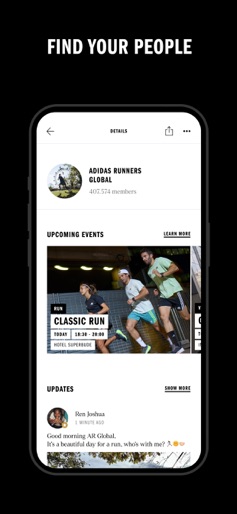

Design Analysis
Visual Design
Style: Custom
Key Features Shown
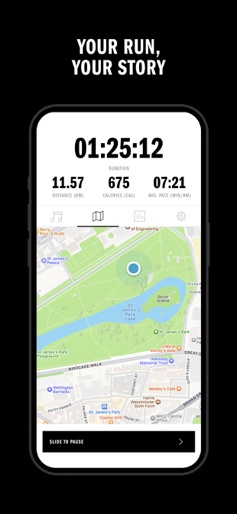
- •Real-time GPS Map Tracking
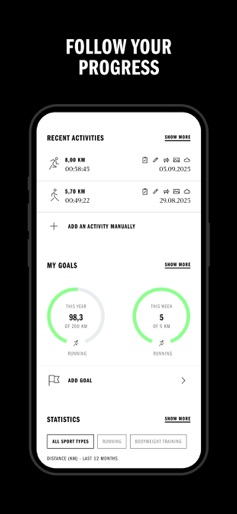
- •Multi-sport Goal Setting
- •Activity History & Progress Visualization
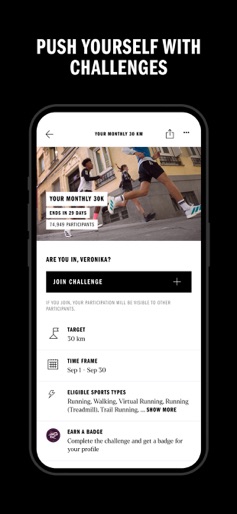
- •Community Challenges
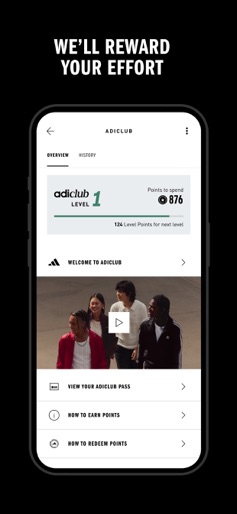
- •adiClub Rewards Integration
App Insights
Target: Fitness enthusiasts ranging from absolute beginners (Walk to Run) to competitive marathon runners, as well as multi-sport athletes using the app's 100+ activity options.
- •Subscription (Premium features)
- •Data Collection
- •Brand Ecosystem Integration (adiClub)
- •Direct Sales (Gear recommendations)
ASO Keywords:
About adidas Running: Run tracker
adidas Running is an activity tracker designed for all levels of ability and experience, offering the ideal platform for beginners to start tracking their running journey and logging activities. To help introduce new users to running, numerous adidas Training Plans are available, providing step-by-step guidance that adapts to each user's fitness level—including plans for 3K, 5K, and 10K distances. These plans evolve as users train, making the Walk to Run Training Plan the perfect introduction to running, regardless of previous experience. As you progress, explore additional Training Plans to prepare for your first 10K, half-marathon, marathon, and beyond. Getting started with adidas Running is simple: download the app, create your account using your personal details, and set a goal to stay motivated and track your fitness journey. You can begin tracking and logging activities immediately, with nearly 100 options available—including running, walking, cycling, hiking, climbing, tennis, and yoga. Sync your activities effortlessly with Health Connect and a wide range of apps and devices, including Garmin, Polar, Amazfit/Zepp, Coros, Suunto, Wañoo, and many more. This makes tracking your progress easier than ever. adidas Running is also home to adidas Runners—local and global communities of people staying active together. Find your community and track activities with like-minded individuals, whatever your pace. Stay motivated by joining Challenges and Virtual Races as a group, and earn Badges along the way. Staying active has never been more social. Share your tracked runs and other activities with your community, receive real-time Live Cheers from friends during workouts, and support others by following and liking their activities. A wide range of features are available to all users, including detailed activity stats like distance, duration, heart rate, pace, calories burned, and cadence. You’ll also benefit from the Progress Tab, Shoe Tracking, and recommendations. Plus, access expert guidance on Movement, Mindset, Recovery, and gear to support your fitness journey. Runtastic Terms of Service: https://www.runtastic.com/in-app/iphone/appstore/terms Runtastic Privacy Policy: https://www.runtastic.com/privacy-notice
Create screenshots like adidas Running: Run tracker
Use FlyerBanana's free editor to create professional App Store screenshots inspired by adidas Running: Run tracker's design. 100+ templates, device frames, and one-click export.
More Health & Fitness Apps
View all

Flo Cycle & Period Tracker
Health & Fitness


CVS Health
Health & Fitness


Clue Cycle & Period Tracker
Health & Fitness


Headspace: Meditation & Sleep
Health & Fitness


Noom Weight Loss, Food Tracker
Health & Fitness


Impulse - Brain Training
Health & Fitness