
AI Mirror: AI Photo Editor
POLYVERSE ENTERTAINMENT INC.
Create Screenshots Like AI Mirror: AI Photo EditorApp Store Screenshots (10)




Design Analysis
Visual Design
App Insights
About AI Mirror: AI Photo Editor
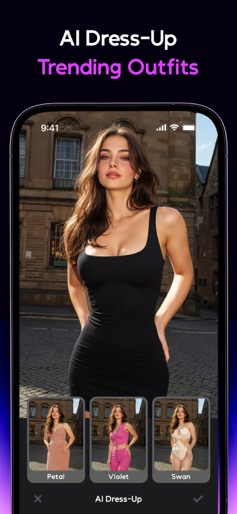
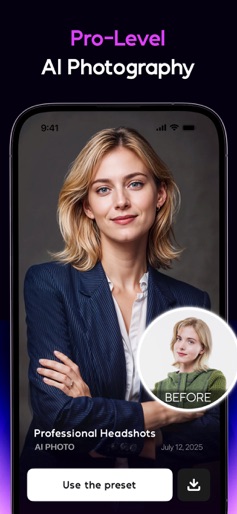
AI Mirror is the ultimate AI-powered photo editor and video creator. Instantly transform your images and videos with hundreds of AI filters and style transformations—turn snapshots into realistic studio shots, anime characters, birthday photos, professional headshots, or AI baby dancing videos in seconds. We’ve also fully upgraded our restoration technology with next-generation AI models, restoring old photos with sharper details, clearer faces, accurate colorization, and precise repair of scratches, fading, and damage. AI Mirror integrates industry-leading generative models, including OpenAI, Gemini, and Nano Banana, to ensure high realism, natural lighting, accurate facial details, and consistent quality across photos and videos. Whether you’re creating realistic portraits, viral social content, or emotional family memories, AI Mirror delivers studio-level results. New filters, templates, and effects are released weekly to keep you ahead of trends on TikTok, X, Instagram, and Facebook. AI Photo Our AI Photo styles include Celebration photos for birthdays and holidays, AI snow trend, AI Polaroid, studio shots, old money style, magazine cover shots, business portraits, and more — all inspired by the latest trends across TikTok, X, Instagram, and Facebook. These styles deliver hyper-realistic, high-quality visuals tailored to your desired look. AI Filter and Style Transformation Experience one of the most advanced AI style transformation engines on the market. AI Mirror supports a wide range of styles including Anime, Cartoon, Game Characters, 3D Figures, artistic paintings, and material-based visual effects. Our style transformations deliver high visual consistency, detailed textures, and natural lighting—making every result look polished, modern, and social-ready. AI Video Trending AI Reels Templates: Explore the hottest AI baby dancing video effects from across social platforms. Image to Video: Bring still images to life! Our AI transforms still images into live photos, adding motion and emotion to your cherished memories. AI Editor Old Photo Restoration: Repair, sharpen, and colorize old photos with next-gen AI. AI Hairstyle: Try endless looks in seconds with our AI salon. Experiment with trendy cuts, fresh colors, or classic styles—our AI hair changer instantly gives you a realistic virtual makeover. AI Makeup: Discover your perfect look with AI Makeup. Apply natural, glam, or creative styles in one tap, to enhance your selfies with studio-quality results. AI Magic Brush: Transform specific areas of your photo with a simple brush stroke. AI Photo Enhancer: Enhance your photo quality, bringing clarity to every shot. AI Removal: Remove unwanted objects, people, or distractions with ease. AI Dress-Up: Upload a full-body photo and any outfit image for a realistic AI virtual try-on. AI Background: Replace or redesign your photo background using either another image or just a text prompt. Chat Edit: Edit photos using natural language commands. Powered by Nano Banana, making editing faster and smarter. Community & Inspiration: Join our Discord community and explore an extensive array of styles and themes. Stay with AI Mirror's regular updates and discover why it's the best AI App for photo and video editing, making fun easy. Passionate about creativity and AI? Become an official ambassador to earn rewards and share the excitement! Stay Connected: Instagram: @aimirror.official Discord: AI Mirror Privacy Policy: https://aimirror.fun/policy Terms of use: https://aimirror.fun/terms_of_service
Create screenshots like AI Mirror: AI Photo Editor
Use FlyerBanana's free editor to create professional App Store screenshots inspired by AI Mirror: AI Photo Editor's design. 100+ templates, device frames, and one-click export.
More Entertainment Apps
View all

YouTube
Entertainment


Spotify: Music and Podcasts
Entertainment


TikTok - Videos, Shop & LIVE
Entertainment


Pandora: Music & Podcasts
Entertainment


Shazam: Find Music & Concerts
Entertainment


Photo Lab Picture Editor & Art
Entertainment