Cafe Panic: Cooking games icon

Cafe Panic: Cooking games

Boomware Studio

Casual
4.6(883 ratings)
Free
Create Screenshots Like Cafe Panic: Cooking games

App Store Screenshots (6)

Cafe Panic: Cooking games screenshot 1
Cafe Panic: Cooking games screenshot 2
Cafe Panic: Cooking games screenshot 3
Cafe Panic: Cooking games screenshot 4
Cafe Panic: Cooking games screenshot 5
Cafe Panic: Cooking games screenshot 6

Design Analysis

Visual Design

App Insights

About Cafe Panic: Cooking games

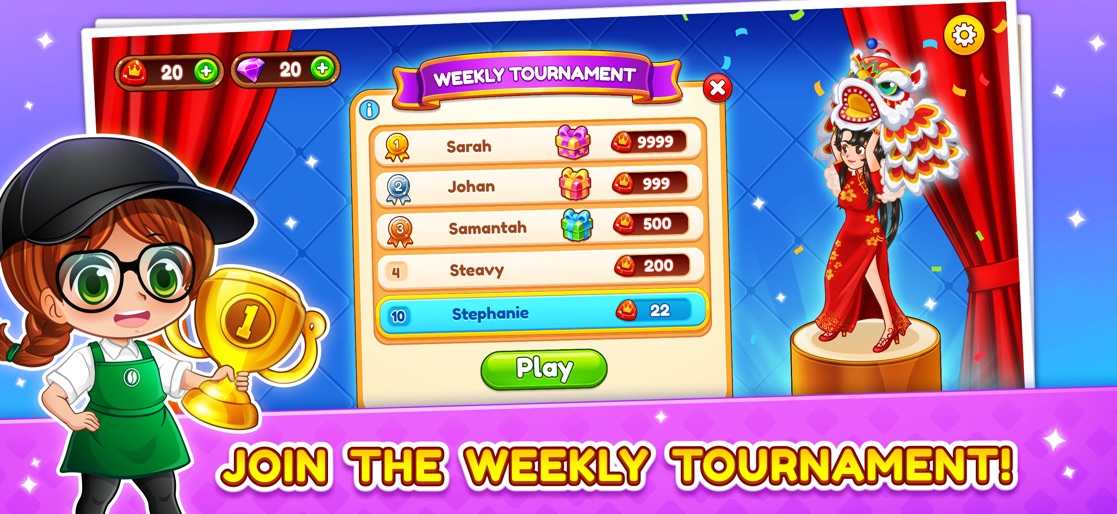
Start your adventure in the culinary world, have fun opening restaurants from different parts of the world, cooking authentic recipes with the best ingredients you can find. Delight everyone with your food and become a cooking star. KEY FEATURES -NEW MODE! Participate in the WEEKLY PVP BATTLE TOURNAMENT. -MORE THAN 700 LEVELS! Experience an ADDICTIVE AND CHALLENGING gameplay. -MORE THAN 360 RECIPES! Merge ingredients and make a complex mix. -GACHA AND MINIGAMES! Collect free rewards and have fun. -OPEN NEW COFFEE STORES! Japanese, Korean, French? Try different cuisines. -CUTE DECORATIONS! Add an aesthetic decor and turn your cafe into a dream dating point. -ENHANCE YOUR MACHINES! Buy new machines and upgrade them. -CUSTOMIZE YOUR CHARACTER! Makeover your character and dress up with fashion. -GROWING DIFFICULTY! Every level is a test to your mind, serve them fast. -MONITOR THE WIFI AREA! Fix the Wifi zone when it goes down. NOTE: NO INTERNET CONNECTION IS REQUIRED TO PLAY Check our social networks to find out about new content and events. FACEBOOK: https://www.facebook.com/cafepanic/ INSTAGRAM: https://www.instagram.com/cafe.panic/

Create screenshots like Cafe Panic: Cooking games

Use FlyerBanana's free editor to create professional App Store screenshots inspired by Cafe Panic: Cooking games's design. 100+ templates, device frames, and one-click export.

More Casual Apps

View all

Frequently Asked Questions

How can I create screenshots like Cafe Panic: Cooking games?
You can create App Store screenshots inspired by Cafe Panic: Cooking games using FlyerBanana's free screenshot editor. Choose from 100+ templates, customize colors, text, and device frames, then export in all required sizes.
What screenshot sizes does Cafe Panic: Cooking games use?
Cafe Panic: Cooking games uses standard App Store screenshot sizes including 6.7" (1290×2796px), 6.5" (1284×2778px), and 5.5" (1242×2208px) for iPhones. FlyerBanana supports all required sizes with one-click export.
Can I use Cafe Panic: Cooking games's screenshot style for my app?
Yes! While you shouldn't copy screenshots directly, you can use Cafe Panic: Cooking games's design patterns as inspiration. FlyerBanana's templates let you create professional screenshots with similar layouts, color schemes, and visual styles.
What makes good Casual app screenshots?
The best Casual app screenshots clearly showcase key features, use consistent branding, include compelling copy, and follow App Store guidelines. Browse our Casual inspiration gallery to see what top apps do well.