
Cal Pal -AI Calorie Tracker
Arcane Miracle Limited
Create Screenshots Like Cal Pal -AI Calorie TrackerApp Store Screenshots (4)
Design Analysis
Visual Design
App Insights
About Cal Pal -AI Calorie Tracker
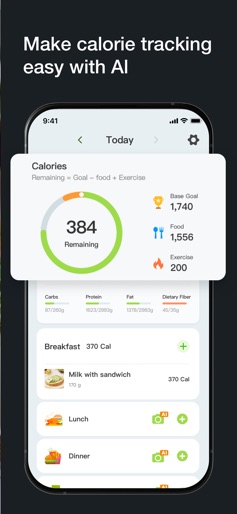
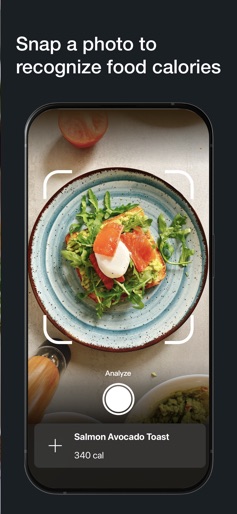
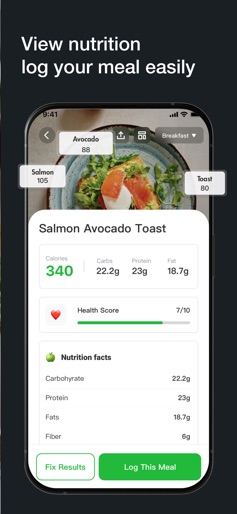
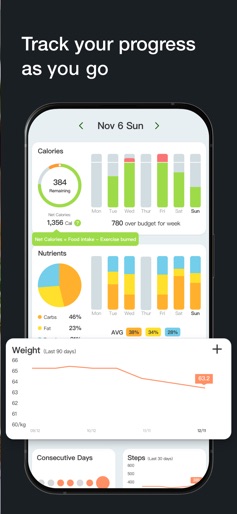
AI Calorie Tracker — Snap & Slim Cal Pal is the smartest AI calorie tracker ever built:a camera-first calorie AI that doubles as an AI food tracker,daily cal tracker,and full-service diet coach. Just point your phone,and our photo calorie counter plus AI food scanner turn any plate into precise macros in seconds — no typing,no guesswork,just results. Scan,Know,Act — All in One Tap Instant Photo Magic — The moment you take a shot,our AI calorie counter and calories AI deliver laser-accurate numbers faster than any other calorie app. Barcode — Too busy to snap?Let the calorie scanner read a barcode. Keeping logging friction-free,so tracking calories becomes a habit you’ll stick with. Adaptive Coaching — Whether you’re intermittent fasting,keto,or bulking,Cal Pal’s calorie counter AI and dynamic AI meal scanner fine-tune protein,fat,and carb targets in real time. It’s a pocket nutritionist that evolves with you. Real-Time Nutrition Intelligence The photo calorie tracker remembers favorite meals and auto-fills portions. The calorie tracker AI predicts tomorrow’s intake based on today’s patterns — helping you stay ahead of cravings. A dedicated AI macro tracker rebalances macros after a big night out,while the holistic AI nutrition tracker suggests fiber-rich swaps for gut health. Scene-Based Shortcuts for Every Lifestyle Commuter Crunch:Snap a drive-thru breakfast;Cal Pal’s AI food scanner recommends lighter lunch options to stay on track. Gym Warrior:Start a strength session,and the AI calorie engine adjusts carbs for optimal recovery. New Parent:Hands full?Use voice to log snacks;the photo calorie counter back-fills nutrients later. Try It — Track Calories Free Download today to track calories free for seven days. Enjoy unlimited scans with the core food calorie tracker while experiencing premium features like meal-plan forecasting,restaurant-menu decoding,and step-linked burn estimates. Continue tracking calories seamlessly when you upgrade. Flexible Plans • $9.99/month • $39.99/year • $49.99/lifetime Subscriptions renew automatically unless canceled at least 24 h before the end of the period. Payment is charged to your Apple account;manage renewal in Settings. Join thousands who’ve transformed their health with the most accurate AI calorie tracker,the fastest AI food tracker,and the friendliest cal tracker available. Cal Pal turns every bite into better health — make calories AI work for you! Privacy Policy:http://api.dietai.click/static/aical_privacy.html Terms of Use:http://api.dietai.click/static/aical_terms.html
Create screenshots like Cal Pal -AI Calorie Tracker
Use FlyerBanana's free editor to create professional App Store screenshots inspired by Cal Pal -AI Calorie Tracker's design. 100+ templates, device frames, and one-click export.
More Health & Fitness Apps
View all

Flo Cycle & Period Tracker
Health & Fitness


CVS Health
Health & Fitness


Clue Cycle & Period Tracker
Health & Fitness


Headspace: Meditation & Sleep
Health & Fitness


Noom Weight Loss, Food Tracker
Health & Fitness


Impulse - Brain Training
Health & Fitness