

CalScan - AI Calorie Tracker
Shanghai Mimi Pig Network Technology Co., Ltd
App Store Screenshots (4)

About CalScan - AI Calorie Tracker
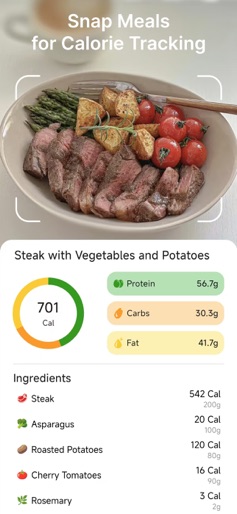
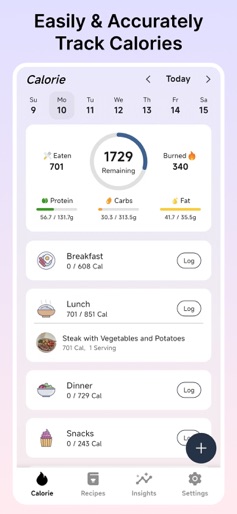
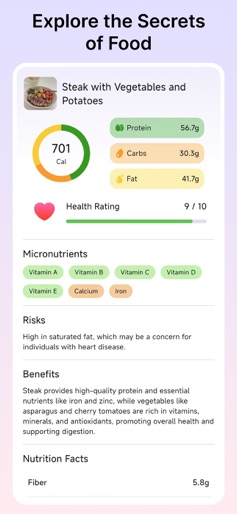
CalScan: Your AI Calorie & Nutrition Tracker Welcome to CalScan, the cutting-edge app designed to make calorie counting and nutrition tracking effortless and accurate. Whether you're embarking on a weight loss journey or simply aiming to maintain a balanced diet, CalScan is your perfect companion. Harness the power of advanced AI technology to instantly recognize and analyze your food, giving you precise nutritional insights in seconds. Key Features: Snap & Analyze: AI Food Recognition Capture a photo of your meal, and let CalScan handle the rest. Our sophisticated AI instantly identifies the food, calculating calories and key nutrients to provide you with an immediate and detailed nutritional profile. Text Input: Quick & Accurate Food Logging Prefer typing? Simply describe your meal in text, and CalScan will accurately identify and calculate the calories and nutrients, making meal logging quick and easy. Barcode Scanning: Instant Nutritional Data Scan the barcode on food packages to access a comprehensive database of nutritional information. Get instant calorie counts and nutrient details with just a quick scan. Why Choose CalScan: AI-Powered Efficiency: Leverage the latest in AI technology for fast and accurate food recognition and calorie calculation. User-Friendly Interface: Designed for ease of use, CalScan makes tracking your diet simple and straightforward. Comprehensive Nutritional Insights: Get detailed information on calories, macronutrients, and more, tailored to your dietary needs. With CalScan, managing your diet and tracking your nutrition has never been easier. Start your journey towards a healthier you with the app that takes the hassle out of calorie counting and nutritional tracking. Download CalScan today and experience the future of dietary management! Note: We do not provide medical advice. All nutritional information and recommendations offered by CalScan should be viewed as general guidelines. Please consult with a healthcare professional before making any significant changes to your diet or nutrition plan. Privacy Policy: http://assets.zestcalorie.com/about/privacy-policy-as.html Terms & Conditions: http://assets.zestcalorie.com/about/terms-and-conditions-as.html
Create screenshots like CalScan - AI Calorie Tracker
Use FlyerBanana's free editor to create professional App Store screenshots inspired by CalScan - AI Calorie Tracker's design. 100+ templates, device frames, and one-click export.