

App Store Screenshots (4)



Design Analysis
Visual Design
App Insights
About Case Simulator Fire Max
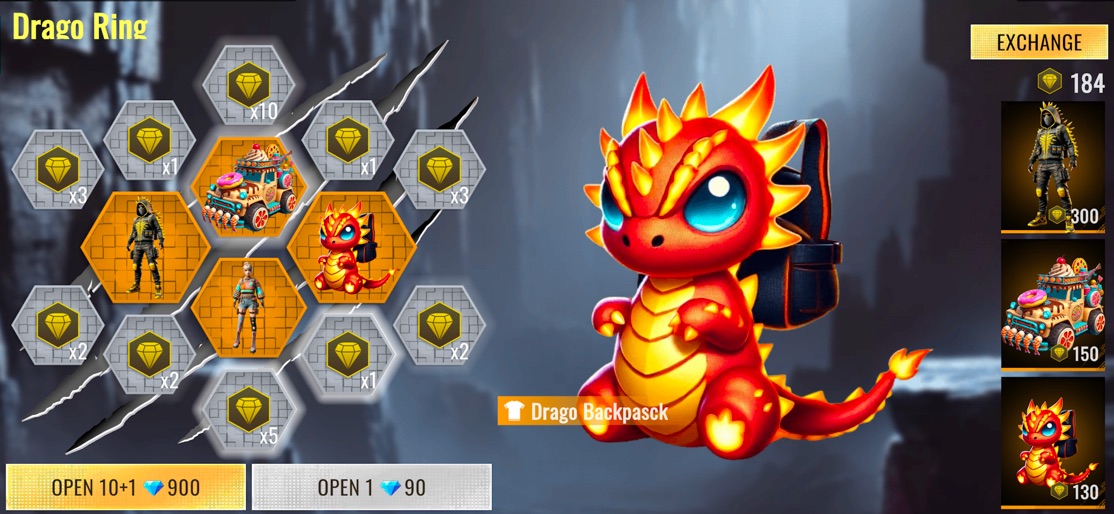
A great way to get rid of the frustration after opening cases and boxes in shooters is to raffle off a free weapon box in this Crate Simulator. Just open all those crates without spending diamonds. Simulation of the lucky spinning would release the frustration from open crates in the FF game. We added also Elite Pass and Evo gun upgrade to make it interesting to open all those crates and collect skins. Also in the Lobby you can change main character: tap on the character and choose you favorite. To get new costumes you may change Cube in the magic cube store. To get Magic Cube - just spin Incubator or any other Lucky Royale from the store. Every thing you get from cases will appears in the inventory. It divided for categories like weapon, misc for coins, outfit, pet and tickets. Every item at the store can be sold. The Evo guns upgrades with special item. The item contains in the crate from Store -> Accessory. You need to choose which one is suitable for the gun. There are many interesting ways to spend time: -Lots of Diamonds! - Weapon crates: themed, legendary - Pet box - Great skins from Token Box - Lucky rotation - Evo Gun Spin, skin can also be upgraded - Elite Pass to create a cool collection - Place the skin of your favorite character on the main screen - If you get a Magic Cube from your spins - just spend it in the Magic Store for a great skin for your Lobby. The case simulator for Fire Max is made by funs. It's a just simulation of opening and spinning prosses. Nothing is withdrawable. We hope you'll enjoy the process of getting diamond and drawing lucky boxes
Create screenshots like Case Simulator Fire Max
Use FlyerBanana's free editor to create professional App Store screenshots inspired by Case Simulator Fire Max's design. 100+ templates, device frames, and one-click export.
More Entertainment Apps
View all

YouTube
Entertainment


Spotify: Music and Podcasts
Entertainment


TikTok - Videos, Shop & LIVE
Entertainment


Pandora: Music & Podcasts
Entertainment


Shazam: Find Music & Concerts
Entertainment


Photo Lab Picture Editor & Art
Entertainment