
App Store Screenshots (7)




Design Analysis
Visual Design
App Insights
About Color Pop AI - Coloring Book
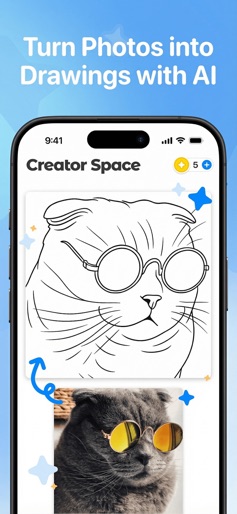
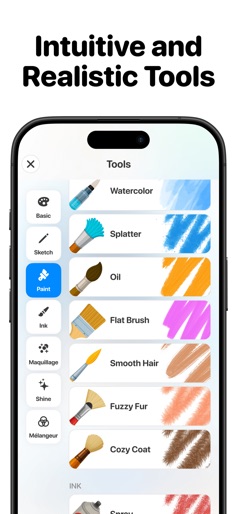
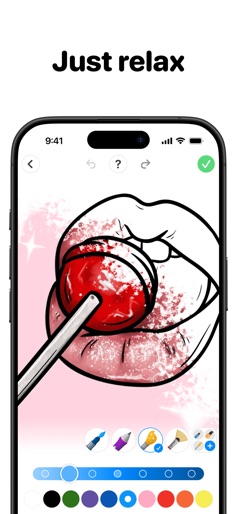
Unleash your inner artist with Color Pop! Dive into a world of vibrant colors and endless creativity. With millions of drawings at your fingertips, you're just a tap away from the best coloring experience. Join our community, get inspired, and share your masterpieces! Why You'll Love It: • Extended catalog: Mandalas, animals, patterns, florals, and more. • Easy to paint: Tap to color or spill the paint bucket for quick fills. • Fun to use: Realistic tools, vibrant colors, and advanced effects. • Infinite inspiration: View and share colorings with people worldwide. • Lock lines: Stay perfectly between the lines while coloring! AI-Powered Creativity: • AI Feature: Create custom coloring pages with a simple prompt. • AI Feature: Transform your photos into stunning drawings. Connect & Share: • Community: A real social media experience with feeds, posts, likes, and comments. Ready to start painting? Download Color Pop now! Terms of Service: https://www.mwm-apps.com/legals/procolor/tos Privacy Policy: https://www.mwm-apps.com/legals/procolor/policies
Create screenshots like Color Pop AI - Coloring Book
Use FlyerBanana's free editor to create professional App Store screenshots inspired by Color Pop AI - Coloring Book's design. 100+ templates, device frames, and one-click export.
More Art & Design Apps
View all

AI Photo Editor - Lumii
Art & Design


Wallpaper 4K HD – Wallcraft
Art & Design


AI Image Generator: ImagineArt
Art & Design


Art Puzzle - Jigsaw Art Games
Art & Design


Coloring Book: Color by Number
Art & Design


SelfyX: AI Photo Editor
Art & Design