

App Store Screenshots (7)



About Crewmeister Time Tracking
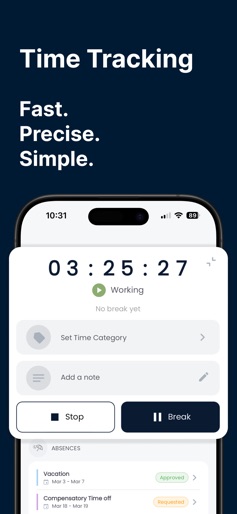
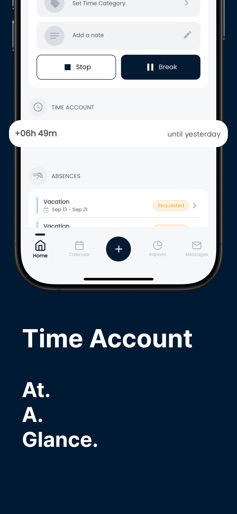
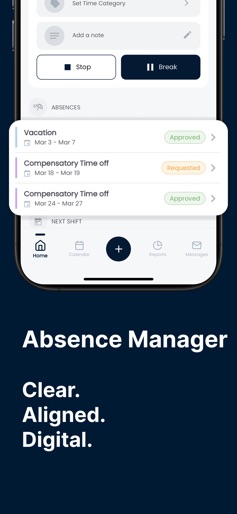
Crewmeister – The Most Used Time Tracking App in Germany All-in-One Solution: Time tracking, vacation planning, and shift scheduling – simple, mobile, and offline-capable. Ideal for small and medium-sized businesses. No paperwork, no complexity – just get started. Crewmeister enables precise, fast, and mobile time tracking with just one click. Whether it's timesheets, punch clocks, or vacation planning: Crewmeister combines everything in one app – intuitive and always at your fingertips. Also available as a desktop version. Time Tracking with a Click: Whether in the office, on the construction site, or on the go – with Crewmeister, you can track your working hours anytime and anywhere. Simply start and stop, assign times to projects, or add notes – all without paper or Excel. Offline Time Tracking & Automatic Synchronization: No network? No problem! The Crewmeister app also works offline. Once you're back online, all data is automatically synchronized. Ideal for employees in construction, field service, or areas with poor network coverage. Punch Clock Reminders: Never forget to clock in again – Crewmeister automatically reminds you to accurately record your times. This ensures your working hours are always fully documented – whether using a punch clock or time clock. Vacation Planner & Monthly Overview: Always keep track of your working hours, vacation days, and overtime. The clear monthly view shows you at a glance how many hours you've worked and how much vacation you have left. Mobile Shift Schedule & Push Notifications: All shifts on your phone: With Crewmeister, you can see your current assignments, get notified about new shifts, and always maintain control over your shift schedule – anytime, anywhere. Intuitive Operation – Even for Beginners: Crewmeister was specifically developed for small businesses and their employees. The app is clear, easy to use, and requires no training. Crewmeister at a Glance: - Time tracking & digital timesheets - Also usable offline – ideal for construction sites or on the go - 100% legally compliant - Automatic synchronization when connected to the network - Punch clock reminders (punch clock/time clock) - Project-based time tracking with note function - Monthly view for working hours & vacation planning - Mobile shift schedule viewing & management - Push notifications for changes - Also usable for free time tracking - Optimized for small teams & businesses - Crewmeister – the time tracking app for your workday Download the Crewmeister app now and experience how simple, clear, and efficient organizing working hours, shifts, and vacations can be.
Create screenshots like Crewmeister Time Tracking
Use FlyerBanana's free editor to create professional App Store screenshots inspired by Crewmeister Time Tracking's design. 100+ templates, device frames, and one-click export.