

App Store Screenshots (5)


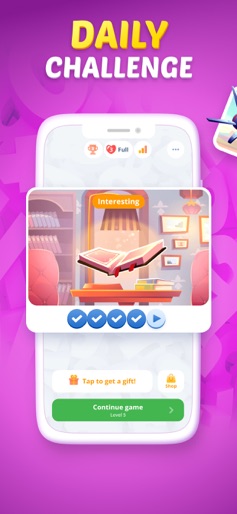


Design Analysis
Visual Design
Style: Custom
Key Features Shown
- •Figgerits-style number matching
- •Daily Challenges
- •Thematic Levels (Music, Nature, Future)
- •Educational Fact Cards
- •Mistake Tracking
App Insights
Target: Casual puzzle gamers and enthusiasts of logic-based word games like Figgerits, cryptograms, and traditional crosswords.
- •Ad-supported (Rewarded and Interstitial)
- •In-App Purchases (Hints/Currency)
- •Ad-removal purchase
ASO Keywords:
About Crostic Guru - Guess The Words
Ready for a real brain challenge? We’ve got the ultimate puzzle game for true logic lovers! Our new game will put your brain to the test with intricate word puzzles, hidden proverbs, famous quotes, and secret words to decode. But here’s the twist – there’s no auto-fill! Every single letter must be placed manually, and mistakes matter – accuracy is everything! Can you handle the challenge? A Fresh Take on the Crossword Puzzle Genre! If you love crossword puzzles, logic riddles, and word games, this is your next obsession! We’ve taken the classic crossword genre and turned it into an interactive brain workout, where every move requires precision and strategy. No more random guessing or easy solutions – each word must be carefully assembled, piece by piece. This is the perfect mix of traditional word puzzles and innovative gameplay mechanics that will keep you hooked for hours. Whether you enjoy word searches, cryptograms, or number-based word puzzles, this game will challenge and entertain you like never before. What makes this word puzzle unique? This isn’t just another crossword game. It’s a logic-based puzzle experience, where you match letters with numbers and manually place each one into the correct spot. The difficulty ramps up as you progress, and every mistake is tracked – so stay sharp and think strategically! Game Features: - No auto-fill – every letter must be placed manually! - Mistakes are tracked – precision and attention to detail are essential - Strategic gameplay – every move has consequences - Levels get harder over time – get ready for a true mental workout - Hidden proverbs, famous quotes, and historical facts to uncover - Unique blend of logic riddles and word puzzles - Intuitive controls, deep strategy – easy to start, hard to master How to play? - Match letters to their corresponding numbers - Drag and drop each letter – no shortcuts or auto-completion - Be careful – mistakes are recorded, and accuracy affects your progress - Beat each level to unlock more complex challenges and sharpen your mind Get ready for a whole new level of word puzzle fun! This is more than just crosswords – it's a precision-driven logic test, combining the charm of classic puzzles with fresh, innovative mechanics. Privacy Policy: https://severex.io/privacy/ Terms of Use: http://severex.io/terms/
Create screenshots like Crostic Guru - Guess The Words
Use FlyerBanana's free editor to create professional App Store screenshots inspired by Crostic Guru - Guess The Words's design. 100+ templates, device frames, and one-click export.










