
Epic War:Spin to Kill icon

Epic War:Spin to Kill

Bingchuan Network

Action
4.3(6.9K ratings)
Free
Create Screenshots Like Epic War:Spin to Kill

App Store Screenshots (6)

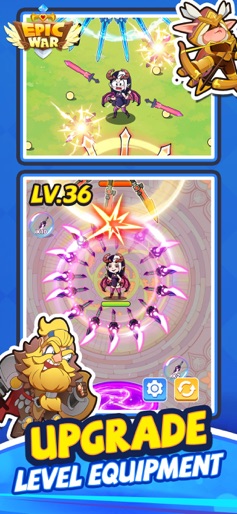
Epic War:Spin to Kill screenshot 1
Epic War:Spin to Kill screenshot 2
Epic War:Spin to Kill screenshot 3
Epic War:Spin to Kill screenshot 4
Epic War:Spin to Kill screenshot 5
Epic War:Spin to Kill screenshot 6

Design Analysis

Visual Design

App Insights

About Epic War:Spin to Kill

The kingdom is under siege and your home is at stake. Creatures of darkness are devouring every living soul in their path. This is a war that you can’t afford to lose. Under your command, every unit counts. Lead your force to victory and glory, with meticulous planning and genius tactics! Are you prepared? 1. Spin to Kill Collect blades and use them to harvest enemies on the battlefield! 2. More is more Do you think troops of 50 or 100 units clashing against each other is impressive enough? Well, be re-impressed with a war on epic scale, 1,000 vs 1,000. There are 11 unique types of units plus powerful heroes waiting for you. Feel the sheer power. 3. Sandbox Strategy Claim the Dark Throne, revive the guardian dragon and brand this fantasy world with your name, as the king of kings! 4. Merge units Recruit units and merge to upgrade. Experience real-life strategy in this fantasy world and turn the tide of war as the supreme commander. Facebook: https://www.facebook.com/EpicWarGlobal/ Privacy Policy: https://sites.google.com/view/ew-privacy-policy/ Terms of Service: https://sites.google.com/view/ew-term-of-service/

Create screenshots like Epic War:Spin to Kill

Use FlyerBanana's free editor to create professional App Store screenshots inspired by Epic War:Spin to Kill's design. 100+ templates, device frames, and one-click export.


More Action Apps

View all

Frequently Asked Questions

How can I create screenshots like Epic War:Spin to Kill?
You can create App Store screenshots inspired by Epic War:Spin to Kill using FlyerBanana's free screenshot editor. Choose from 100+ templates, customize colors, text, and device frames, then export in all required sizes.
What screenshot sizes does Epic War:Spin to Kill use?
Epic War:Spin to Kill uses standard App Store screenshot sizes including 6.7" (1290×2796px), 6.5" (1284×2778px), and 5.5" (1242×2208px) for iPhones. FlyerBanana supports all required sizes with one-click export.
Can I use Epic War:Spin to Kill's screenshot style for my app?
Yes! While you shouldn't copy screenshots directly, you can use Epic War:Spin to Kill's design patterns as inspiration. FlyerBanana's templates let you create professional screenshots with similar layouts, color schemes, and visual styles.
What makes good Action app screenshots?
The best Action app screenshots clearly showcase key features, use consistent branding, include compelling copy, and follow App Store guidelines. Browse our Action inspiration gallery to see what top apps do well.



