App Store Screenshots (10)




Design Analysis
Visual Design
App Insights
About Facetune: Video & Photo Editor
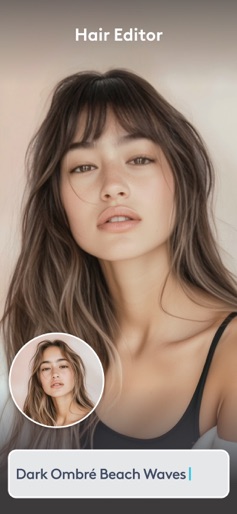
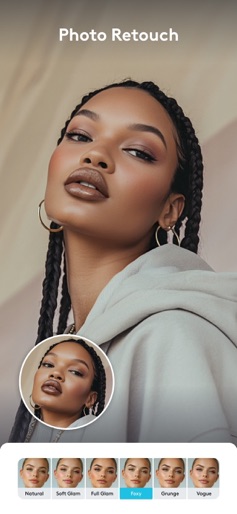
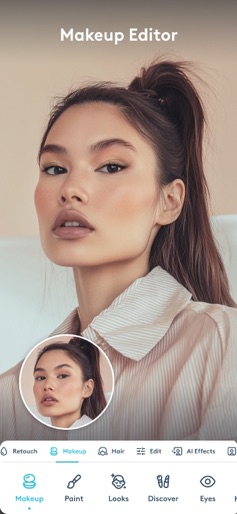
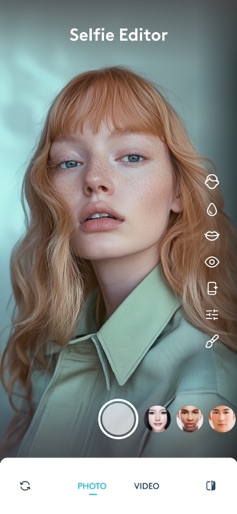
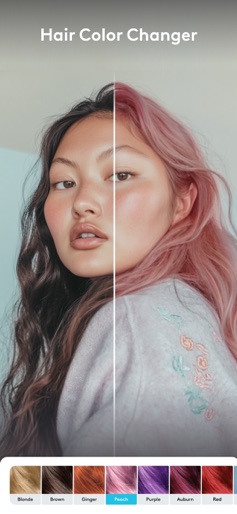
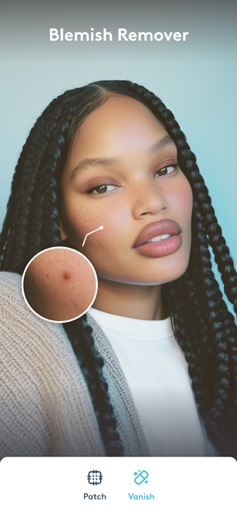
Get your selfie game to the next level with Facetune! From subtle touch-ups to full glam transformations, we've got the tools to make your photos pop. Let's get editing! Welcome to Facetune, the go-to photo editing app for creators, influencers, and selfie enthusiasts! We're all about celebrating you and helping your photos shine like never before. With Facetune, you get powerful tools, a user-friendly interface, and endless creative possibilities to express yourself with confidence. What's Hot in Facetune: • Headshots: Transform everyday photos into professional-grade headshots in seconds with AI technology. • Filters: Discover a variety of filters to give your photos the perfect mood and aesthetic. • Vanish & Remove Objects: Seamlessly remove unwanted objects or people from your background. • Blemish Remover: Instantly achieve a flawless complexion by removing blemishes and wrinkles. • Video Filters: Retouch skin and enhance your videos with stunning filters to make them pop. • Retouch: Fine-tune your selfies with advanced retouching tools to highlight your best features. • Teeth Whitening: Brighten your smile (or sneakers!) and make your teeth sparkle with our free teeth whitening feature. ‿‿‿‿‿‿‿‿‿‿‿‿‿‿‿‿‿‿‿‿‿‿‿‿‿‿‿‿‿‿‿‿‿‿‿‿‿‿ Key Features: Advanced Retouching Tools: • Smooth: Achieve a natural, flawless complexion by removing blemishes and wrinkles instantly. • Reshape: Subtly enhance your natural beauty with precise facial adjustments. • Whiten: Brighten your smile and make your teeth look their best. Professional Editing Tools: • Filters: Choose from a variety of filters to give your photos the perfect mood and aesthetic. • Light Effects: Adjust brightness, contrast, and highlights to create ideal lighting. • Details: Sharpen and enhance details to make your photos pop. Creative Enhancements: • Makeup: Apply virtual makeup to glam up your look without the fuss. • Hairstyles: Change your hair color and style with just a few taps. • Vanish: Remove unwanted objects or people from your background seamlessly. One Tap Magic: • AI Enhance: Automatically enhance your photos with our AI technology. • Looks Presets: Instantly transform your photos with curated looks and presets. • Color Correction: Correct and enhance colors for a vibrant, polished look. User-Friendly Interface: Facetune is designed to be intuitive and easy to use, making photo editing a breeze whether you're a beginner or a pro. Social Media Ready: Create stunning photos that are ready to share on all your favorite social media platforms. Impress your followers with polished, eye-catching images that highlight your unique style. ‿‿‿‿‿‿‿‿‿‿‿‿‿‿‿‿‿‿‿‿‿‿‿‿‿‿‿‿‿‿‿‿‿‿‿‿‿‿ Why Facetune? - Authentic: Celebrate your true self with photos that reflect your real beauty. - Playful: Experiment with different looks and styles to express your creativity. - Sharp & Sassy: Make a statement with bold, confident photos. - Encouraging & Confident: Boost your confidence with tools that highlight your best features. Join the Facetune Community: Facetune is more than just an app; it's a community of creators, influencers, and photo enthusiasts. Share your photos, discover new techniques, and get inspired by others. Download Facetune Today! Ready to turn those pics into pure fire? Get Facetune now and let's make some magic happen! Remember, life's a photoshoot, and you're the star. Now go out there and slay, bestie! Love, The Facetune Team P.S. Don't forget to check for updates! We're always cooking up new features to keep your photo editing game fresh and fabulous. Terms of use: https://static.lightricks.com/legal/terms-of-use.pdf Privacy policy: https://static.lightricks.com/legal/privacy-policy.pdf Tag us in your photos and videos with @Facetune and #facetune for a chance to be featured!
Create screenshots like Facetune: Video & Photo Editor
Use FlyerBanana's free editor to create professional App Store screenshots inspired by Facetune: Video & Photo Editor's design. 100+ templates, device frames, and one-click export.