
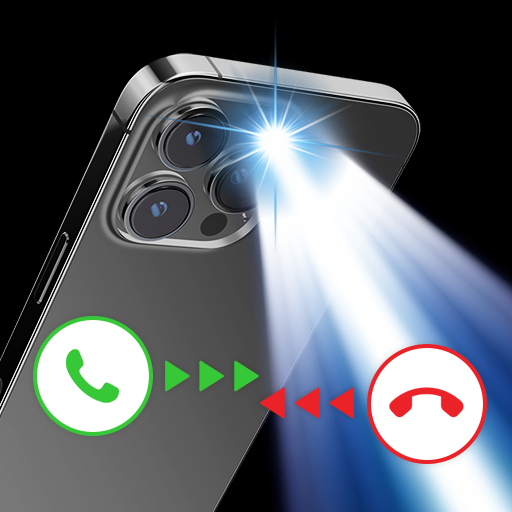
App Store Screenshots (8)


Design Analysis
Visual Design
Style: Material Design
Key Features Shown
- •Flash Alert for Call & Message
- •Super Bright Flashlight
- •Party Light Mode
- •DND/Activation Schedule
- •Battery Saver Settings
App Insights
Target: Android users in emerging markets needing visual notification cues or basic utility tools for low-light environments.
- •Interstitial Ads
- •Banner Ads
- •Rewarded Video Ads
ASO Keywords:
About Flash Alert - Flash App
Flash app, flash alert, flash notification for incoming call and sms. When an incoming call or message arrives, the flash of the phone will blinks to signal. Flashlight is a simple and useful app that helps you turn on the flashlight on your mobile with one touch. This Flashlight app is not only a free flashlight but also provides you with other helpful features: frequency flicker, a camera flashlight to find objects, and a compass. Flash Alert is one of the top useful applications that should be available on Android phones. When an incoming call or message arrives (SMS, Facebook Messenger, Whatsapp, Telegram ...), the Flash of the phone will blinks to notification. MAIN FEATURE OF FLASH APP: FLASH ALERT, FLASH NOTIFICATIONS ✔️ Be alerted of incoming calls, text messages, and app notifications with the led flash notification on call/flash on call/flash sms/flash alerts ✔️ Customize the length of each flash. ✔️ Don't miss any calls, messages while in hospital or meetings or in quiet areas. ✔️ When you are in a noisy area and will not hear your phone ring. ✔️ This app can also help you find your phone in the dark. ✔️ Helping for the hearing impaired. ✔️ Flashlight helps you read books, give directions, .. ✔️ DJ lights flash for party use MAIN FEATURES OF BRIGHTEST FLASHLIGHT APP: ✔️ Turn on flash light in off-screen mode ✔️ Flash light shortcut ✔️ Flashing light with customized speed of frequency ✔️ Compass activation in offline mode There is also a Do Not Disturb mode in which you can select a period of time when you do not want the flash to alert you. This means you can always leave Flash app: Flash notifications, Flash alert activated and don’t need to remember to keep turning it on and off. The flashlight application, call alert light, message flash light is completely free, does not consume the phone battery, does not reduce the durability of the phone. Please feel free to use it. Thank you for using Flash Alert Any issues, mail us via applus.studio.global@gmail.com
Create screenshots like Flash Alert - Flash App
Use FlyerBanana's free editor to create professional App Store screenshots inspired by Flash Alert - Flash App's design. 100+ templates, device frames, and one-click export.
More Productivity Apps
View all

Microsoft Outlook
Productivity


AVG AntiVirus & Security
Productivity


Screen Recorder - XRecorder
Productivity


Opera: Private Web Browser
Productivity


Parallel Space - app cloning
Productivity


Duolingo - Language Lessons
Productivity