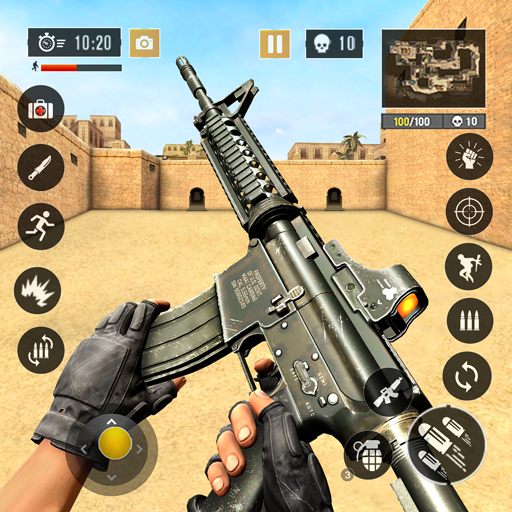
Gaming Mode - Game Booster PRO icon

Gaming Mode - Game Booster PRO

DOSA Apps

Gaming
4.4(413.4K ratings)
Free
Create Screenshots Like Gaming Mode - Game Booster PRO

App Store Screenshots (24)

Gaming Mode - Game Booster PRO screenshot 1
Gaming Mode - Game Booster PRO screenshot 2
Gaming Mode - Game Booster PRO screenshot 3
Gaming Mode - Game Booster PRO screenshot 4
Gaming Mode - Game Booster PRO screenshot 5
Gaming Mode - Game Booster PRO screenshot 6
Gaming Mode - Game Booster PRO screenshot 7
Gaming Mode - Game Booster PRO screenshot 8
Gaming Mode - Game Booster PRO screenshot 9
Gaming Mode - Game Booster PRO screenshot 10
Gaming Mode - Game Booster PRO screenshot 11
Gaming Mode - Game Booster PRO screenshot 12
Gaming Mode - Game Booster PRO screenshot 13
Gaming Mode - Game Booster PRO screenshot 14
Gaming Mode - Game Booster PRO screenshot 15
Gaming Mode - Game Booster PRO screenshot 16
Gaming Mode - Game Booster PRO screenshot 17
Gaming Mode - Game Booster PRO screenshot 18
Gaming Mode - Game Booster PRO screenshot 19
Gaming Mode - Game Booster PRO screenshot 20
Gaming Mode - Game Booster PRO screenshot 21
Gaming Mode - Game Booster PRO screenshot 22
Gaming Mode - Game Booster PRO screenshot 23
Gaming Mode - Game Booster PRO screenshot 24

Design Analysis

Visual Design

App Insights

About Gaming Mode - Game Booster PRO

Ultimate Game Mode. Play your favorite games like a PRO. Use our game booster and enjoy a fantastic gaming experience! Powerful Game Booster! The one and only Gaming Mode app on Play Store comes with a nifty set of features to enhance your gaming experience. Configure it once, and Gaming Mode will automatically do the rest for you. Your ultimate game booster tool. How does it work? You can configure various settings that will get applied automatically when the game starts. You can configure these settings globally or on a per-game basis. Gaming Mode booster also remembers your existing device settings and restores them after your gameplay session ends. Now you no longer need to fiddle with your device settings before each gameplay session. What features does it configure automatically? ✓ Auto Reject Incoming calls - Our game booster is on your side. Show your skills without interruptions. ✓ Block notifications - With Game Booster, your focus will not be disrupted - pure gaming experience. ✓ Game Booster ✓ Disable auto-brightness & optimize it to your desired level. ✓ Change WiFi state. ✓ Change Ringtone & Media Volume. ✓ Create widgets to launch games directly from your device's home screen. Your game launcher. Create widget - Game launcher Ease of use with the widget on your home screen will make the start of your gaming experience even more enjoyable. The game launcher on your home screen - sweet! Instead of spending your time looking for games, enjoy playing, use our widget feature - game launcher. Our app is designed to enhance the gaming experience. One of our core features is allowing users to block internet connection to focus on their game without interruptions. This is done using a local VPN service that does not transfer data outside the device.

Create screenshots like Gaming Mode - Game Booster PRO

Use FlyerBanana's free editor to create professional App Store screenshots inspired by Gaming Mode - Game Booster PRO's design. 100+ templates, device frames, and one-click export.


More Gaming Apps

View all

Frequently Asked Questions

How can I create screenshots like Gaming Mode - Game Booster PRO?
You can create App Store screenshots inspired by Gaming Mode - Game Booster PRO using FlyerBanana's free screenshot editor. Choose from 100+ templates, customize colors, text, and device frames, then export in all required sizes.
What screenshot sizes does Gaming Mode - Game Booster PRO use?
Gaming Mode - Game Booster PRO uses standard App Store screenshot sizes including 6.7" (1290×2796px), 6.5" (1284×2778px), and 5.5" (1242×2208px) for iPhones. FlyerBanana supports all required sizes with one-click export.
Can I use Gaming Mode - Game Booster PRO's screenshot style for my app?
Yes! While you shouldn't copy screenshots directly, you can use Gaming Mode - Game Booster PRO's design patterns as inspiration. FlyerBanana's templates let you create professional screenshots with similar layouts, color schemes, and visual styles.
What makes good Gaming app screenshots?
The best Gaming app screenshots clearly showcase key features, use consistent branding, include compelling copy, and follow App Store guidelines. Browse our Gaming inspiration gallery to see what top apps do well.