Geometry Tower: Idle Defense icon

Geometry Tower: Idle Defense

CyberJoy Games

Action
4.7(4.3K ratings)
Free
Create Screenshots Like Geometry Tower: Idle Defense

App Store Screenshots (6)

Geometry Tower: Idle Defense screenshot 1
Geometry Tower: Idle Defense screenshot 2
Geometry Tower: Idle Defense screenshot 3
Geometry Tower: Idle Defense screenshot 4
Geometry Tower: Idle Defense screenshot 5
Geometry Tower: Idle Defense screenshot 6

Design Analysis

Visual Design

App Insights

About Geometry Tower: Idle Defense

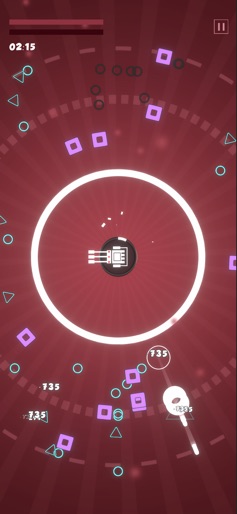
Upgrade your tower, attack enemies, and survive in this Roguelike game! Defend your tower with strategy in battles, and enjoy exciting challenges of this Roguelike game! -Roguelike Gameplay Choose from numbers of upgrades to make it an indestructible tower after endless waves of enemies in roguelike battles. Experience the fun of Roguelike! -Idle Tower Defense Addictive tower defense gameplay with idle mechanism. Easy to play, defend against the attacks from enemies with simply clicks. Collect resources from battles to level up the ATK and HP of your tower. In the meantime, develop the researches of your tower to power up. -Defeat With Strategy Upgrade your tower to be stronger with strategy and continue to refine your strategy with each battle. You have to defend the tower from waves of enemies to the last second. Prove your tactical skills in these thrilling challenges and achieve the victory. - Stylized Art Design Elements in the game are designed with simple geometric shapes in a stylized way.

Create screenshots like Geometry Tower: Idle Defense

Use FlyerBanana's free editor to create professional App Store screenshots inspired by Geometry Tower: Idle Defense's design. 100+ templates, device frames, and one-click export.


More Action Apps

View all

Frequently Asked Questions

How can I create screenshots like Geometry Tower: Idle Defense?
You can create App Store screenshots inspired by Geometry Tower: Idle Defense using FlyerBanana's free screenshot editor. Choose from 100+ templates, customize colors, text, and device frames, then export in all required sizes.
What screenshot sizes does Geometry Tower: Idle Defense use?
Geometry Tower: Idle Defense uses standard App Store screenshot sizes including 6.7" (1290×2796px), 6.5" (1284×2778px), and 5.5" (1242×2208px) for iPhones. FlyerBanana supports all required sizes with one-click export.
Can I use Geometry Tower: Idle Defense's screenshot style for my app?
Yes! While you shouldn't copy screenshots directly, you can use Geometry Tower: Idle Defense's design patterns as inspiration. FlyerBanana's templates let you create professional screenshots with similar layouts, color schemes, and visual styles.
What makes good Action app screenshots?
The best Action app screenshots clearly showcase key features, use consistent branding, include compelling copy, and follow App Store guidelines. Browse our Action inspiration gallery to see what top apps do well.