
App Store Screenshots (9)



Design Analysis
Visual Design
App Insights
About HelloHabit - Habit Tracker
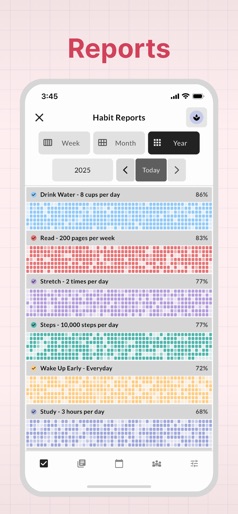
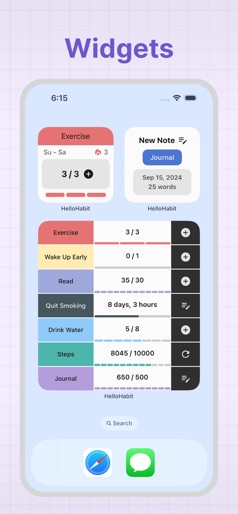
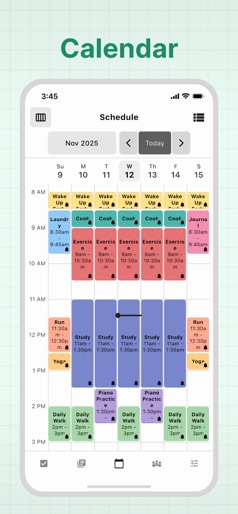
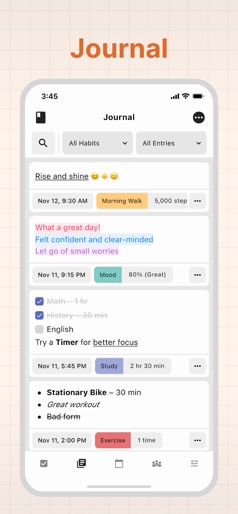
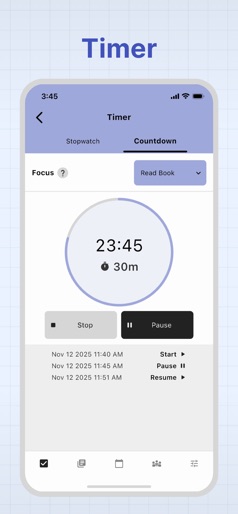
Simple habit tracking, made easy. HelloHabit helps you set goals, build habits, and achieve success. Read the full feature set below: HABIT TRACKING Custom Habits: Personalize your routine with habits like exercise, run, steps, read, meditate, drink water, wake up early, sleep early, journal, brush teeth, cook, quit smoking, quit drinking, quit social media, quit skin picking, and more. Suggestions: Explore hundreds of habit ideas for your list, including fitness, health, productivity, and wellness goals. Goals: Set daily, weekly, monthly, or yearly targets to achieve your desired outcomes. Reminders: Set up multiple reminders per habit to stay on track and build consistency. Activity Entries: Log unlimited activities for past or current dates to monitor your progress. Streaks and Stats: Track your progress with detailed streaks, statistics, and records to stay motivated. Timers: Stay focused with stopwatch or countdown timers for time-bound habits. Health Sync: Automatically sync health-related habits with Apple Health for comprehensive tracking. Quit Trackers: Monitor the duration since quitting habits to celebrate milestones. JOURNAL Detailed Notes: Record insights and progress for each habit to reflect on your journey. Rich Text Editor: Customize notes with formatting and styles for better organization. Centralized View: Access habit activity and notes in one place for easy reference. Filtering: Organize journal entries by habit to review specific areas of focus. Bookmarking: Mark important notes for quick reference and easy access. SCHEDULE Reminder Options: Set one-time, daily, weekly, or monthly reminders to keep your habits top of mind. Unlimited Reminders: Add as many reminders as needed for each habit to stay consistent. Calendar View: Check your schedule in daily, weekly, or monthly formats to plan ahead effectively. PLATFORM Dark Mode: Try out a sleek, dark interface for comfortable nighttime use. Customization: Personalize various settings to suit your preferences and needs. Sync Across Devices: Access your data seamlessly on all your devices for convenience. Customer Support: Get help via an in-app chat feature for quick assistance. HelloHabit offers all features for free within the following limits: - 5 total active habits - 1 reminder per habit - 3 journal notes per day HelloHabit Premium offers unlimited access. We offer a 7-day free trial, and then a monthly or yearly subscription offer. Country-specific pricing is visible within the app! Terms of Use: https://hellohabit.com/terms Privacy Policy: https://hellohabit.com/privacy
Create screenshots like HelloHabit - Habit Tracker
Use FlyerBanana's free editor to create professional App Store screenshots inspired by HelloHabit - Habit Tracker's design. 100+ templates, device frames, and one-click export.
More Health & Fitness Apps
View all

Flo Cycle & Period Tracker
Health & Fitness


CVS Health
Health & Fitness


Clue Cycle & Period Tracker
Health & Fitness


Headspace: Meditation & Sleep
Health & Fitness


Noom Weight Loss, Food Tracker
Health & Fitness


Impulse - Brain Training
Health & Fitness