

App Store Screenshots (7)




Design Analysis
Visual Design
App Insights
About Hidden Spots - Hidden Objects
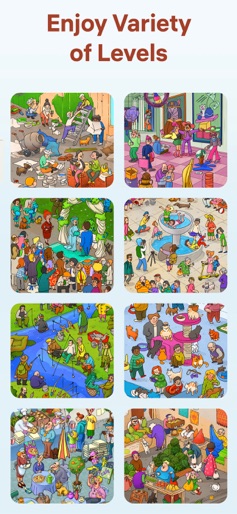
Welcome to the ultimate Hidden Spots adventure! We are happy to present to you a fresh take on a well-known hidden objects game mechanic. In Hidden Spots you don’t need to find the hidden objects, here your goal is to find the right hidden spots for the level objects. When all the objects are placed in their spots, the level scene comes to life and pleases you with its cheerful plot. Embark on your journey through the delightful and varied plots of Hidden Spots today, and discover a new game that's uniquely satisfying for both beginners and puzzle pros alike! Key Features Free to play. Jump into new puzzle adventures without any cost. Simple rules and intuitive gameplay. Select the object you want to place in the picture, find its hidden spot and place it. Unique funny art. Enjoy unique hand-drawn art content made by our artists. Various scenes. Beach, museum, countryside, cafe and more places are waiting for you! Tricky designed levels. To find the hidden spots is not so easy - it will take your attention and sometimes even detective skills! Helpful hints. If you get stuck, use the hint that will help you complete the level and open a new one. No time limit. Take your time and enjoy playing the game as long as you want. How to Play Explore the scene and the spots on it. Check out the objects in the panel below the scene. Find the right spots for all the objects from the panel and place objects on the scene. Enjoy funny animation of the ready scene picture. Don’t miss out – start your brain-boosting adventure today and try to find all the hidden spots!
Create screenshots like Hidden Spots - Hidden Objects
Use FlyerBanana's free editor to create professional App Store screenshots inspired by Hidden Spots - Hidden Objects's design. 100+ templates, device frames, and one-click export.










