
App Store Screenshots (21)




About Home WiFi Alert
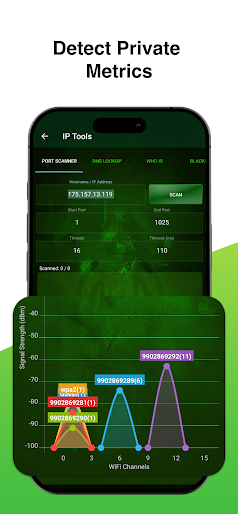
Wifi Analyzer- Home & Office Wifi Security has been called one of the most impressive router network utilities on the Google Play Store. This FREE app is a must-have for users of all skill levels, from beginners to IT specialists and skilled network administrators. With Wifi Analyzer, you can check signal info, block unwanted connections, diagnose your wireless speed and strength, as well as map your network on a professional graphic display that is easy to understand! Key Functions: • Network Discovery - Displays public IP addresses, MAC addresses, Vendor Names, Wireless Access Points (WAP, AP) and more. • Wifi Strength - Displays Wifi signal strength and Wifi speed, tests internet connections, provides encryption, frequency, MAC address, DHCP, and DHCP lease. • Access Point Scan - Displays all router Access Points in range, including MAC addresses, channels, and dBm signal strength. • Access Point Graphs - Displays the current channel your router is operating on and how many neighbors share the same channel. • Connections - Displays ALL current connections routed through your device, including established foreign connections, listening IP interfaces, and closed connections. Each established IP is checked against 35 blacklist databases to determine if the IPs are trusted or known threats! • Device Blocking on Network - Block will bring you to your devices web interface so you can log in and blacklist unwanted MAC address to the router's MAC address filter list to block devices from using the network. • IP Tools Options 1) DNS lookup 2) Whois data 3) Ping 4) Port scan 5) Blacklist IP checker 6) Traceroute 7) MAC address lookup 8) Wifi passwords
Create screenshots like Home WiFi Alert
Use FlyerBanana's free editor to create professional App Store screenshots inspired by Home WiFi Alert's design. 100+ templates, device frames, and one-click export.