

App Store Screenshots (4)



Design Analysis
Visual Design
App Insights
About Imposter Game - BAM!
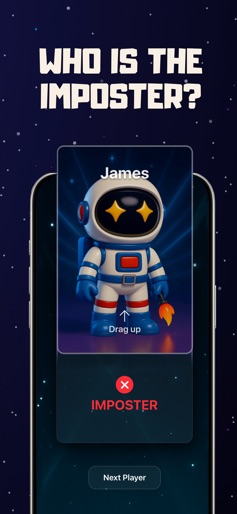
BAM! is a 15-in-1 party game app you can play with friends on one phone — no Wi-Fi, no accounts, no setup. Just open and play in seconds. Perfect for friend groups and gatherings — house parties, family nights, road trips, classrooms, and office breaks. TOP MODES Find the Imposter – Spot the liar fast. Mafia – Villagers vs Mafia. Trust no one. Who Got the Bomb? – Pass the phone before it explodes. Truth or Dare – Funny questions and daring challenges. Crazy Charades – Act it out with a twist. Plus: Would You Rather, Only False Answers, quizzes, and more. WHY BAM!? 100% OFFLINE – Play anywhere. ONE DEVICE – Everyone plays together. INSTANT START – Start a round in seconds. Download BAM! now and turn any moment into a game night. Terms of Use: https://www.apple.com/legal/internet-services/itunes/dev/stdeula/
Create screenshots like Imposter Game - BAM!
Use FlyerBanana's free editor to create professional App Store screenshots inspired by Imposter Game - BAM!'s design. 100+ templates, device frames, and one-click export.
More Entertainment Apps
View all

YouTube
Entertainment


Spotify: Music and Podcasts
Entertainment


TikTok - Videos, Shop & LIVE
Entertainment


Pandora: Music & Podcasts
Entertainment


Shazam: Find Music & Concerts
Entertainment


Photo Lab Picture Editor & Art
Entertainment