

Maze: Puzzle and Relaxing Game
Infinity Games, Lda
Create Screenshots Like Maze: Puzzle and Relaxing GameApp Store Screenshots (6)



Design Analysis
Visual Design
Style: Custom
Key Features Shown
- •Square Maze
- •Hexagonal/Fish-shaped Maze
- •Circular Maze
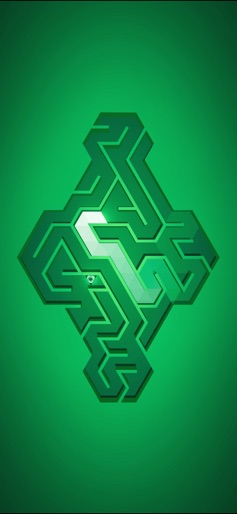
- •Diamond/Rhombus Maze
- •Path Lighting Effect
App Insights
Target: Casual mobile gamers seeking low-stress, short-session puzzles and 'zen' experiences.
- •Ad-supported (Interstitial ads after levels)
- •In-app purchases (Remove Ads)
- •In-game currency (Coins for 'gadgets')
ASO Keywords:
About Maze: Puzzle and Relaxing Game
Play a unique Labyrinth Journey, as you discover classic square mazes and move on to circular or even triangular ones. Journey through the constellation mode and discover every Maze's secret. Ever wanted to get lost among the stars or lost in a Maze. With the new Constellation mode, we bring you the best of both. Solve labyrinths to unlock stars in the constellation. Once all the stars have been collected, watch as the hidden constellation magically flourishes in front of you. Enjoy the magical journey through the labyrinth of stars and discover all of the constellations. ------------------ Play classic square mazes/labyrinths or discover many more original ones: circular, triangular, hexagonal, or even bunny, guitar or tree-shaped mazes. Challenge yourself with seven different game modes that include our unique intertwined labyrinths with teleportation portals. Progress through the constellations and unlock over 100 combinations of maze sizes, types, shapes, and game modes. --------------------- EASY TO PLAY Swipe to guide the light through the maze and find the exit SIMPLE AND RELAXING Relax with small mazes or try to solve more advanced ones DIVERSE LEVEL DESIGN Master 4 types of mazes: square, triangular, hexagonal, and circular GAME MODES Start with classic mazes and unlock five extra game modes: time-limited restricted moves token collection intertwined mazes with teleportation portals BEAUTIFUL ARTWORK Try our funny shaped labyrinths Explore over 3 000 uniquely designed mazes with vivid colors and soothing music. ---------------------- This game has been made by a small team of three independent developers. All your suggestions and feedback to help us improve the game are welcome. Enjoy this new title brought to you by Infinity Games, a market expert in minimal and relaxing gameplay! We are excited to bring you more and more features in future updates. Check us out at: https://infinitygames.io
Create screenshots like Maze: Puzzle and Relaxing Game
Use FlyerBanana's free editor to create professional App Store screenshots inspired by Maze: Puzzle and Relaxing Game's design. 100+ templates, device frames, and one-click export.










