
App Store Screenshots (6)


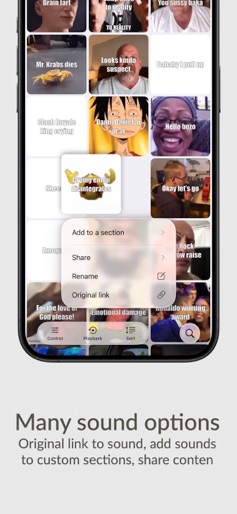
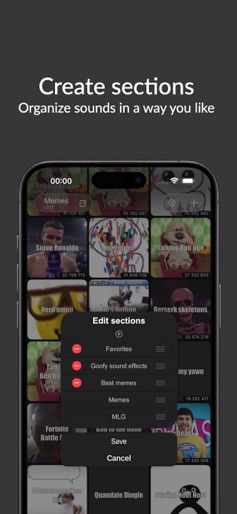
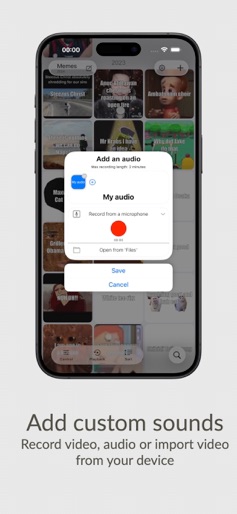
Design Analysis
Visual Design
Style: iOS Native
Key Features Shown
- •Grid-based soundboard
- •Audio effect sliders (Speed, Pitch, Distortion)
- •Search functionality
- •Custom section creation
- •Context menus for sharing/organizing
App Insights
Target: Gen Z and Gen Alpha users, content creators, pranksters, and gaming communities looking for viral audio clips.
- •Ad-supported (Interstitial and potentially background audio ads)
- •In-App Purchases (Remove Ads/Pro Version)
- •Data monetization (Tracking mentioned in reviews)
ASO Keywords:
About Meme Soundboard 2016-2026
The best memes from 2016 till 2025. * Over 1600 sounds! 900+ videos! * New memes added almost every day. Stay updated with push notifications. * Search bar will help you find any sound. * Share sounds and videos with friends. * Links to original memes included. * Create your custom sections! Add, move, and organize sounds easily any way you like. * Sound effects can be changed in real-time: • Speed of the playback • Pitch effect • Distortion • Reverb * Enable reverse to play sounds backwards. * Playback modes: • "Simple" - first tap to play, tap again to stop • "Normal" - every tap restarts playback • "Multiple" - play one sound several times simultaneously • "Repeat" - sounds are looped indefinitely * Sorting sounds modes: • "Custom" - sort sounds as you want by long-pressing and dragging the sound • "A-Z", "Z-A" • "Most Played" - your most played sounds • "Most Popular" - most played sounds from all users • "Recently added" * Long-press and drag any sounds on the board in the "Custom" sort option. * Shake your device or tap on the 'Random sound' button to play a random sound. * Record or import your own sounds and videos. * iCloud backup for your imported sounds. * Suggestions for memes addition to the 'Community' section. * Censored mode to filter strong language. * Stop all sounds by tapping the "Stop all" button. Try the most advanced Meme Soundboard on the App Store!
Create screenshots like Meme Soundboard 2016-2026
Use FlyerBanana's free editor to create professional App Store screenshots inspired by Meme Soundboard 2016-2026's design. 100+ templates, device frames, and one-click export.
More Entertainment Apps
View all

YouTube
Entertainment


Spotify: Music and Podcasts
Entertainment


TikTok - Videos, Shop & LIVE
Entertainment


Pandora: Music & Podcasts
Entertainment


Shazam: Find Music & Concerts
Entertainment


Photo Lab Picture Editor & Art
Entertainment