

App Store Screenshots (6)




Design Analysis
Visual Design
App Insights
About Merge Gardens
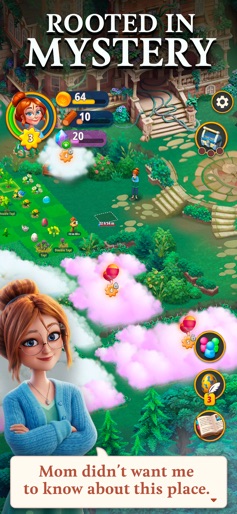
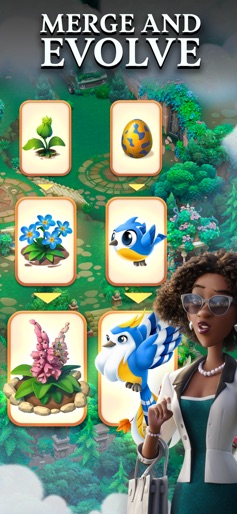
Enter a mysterious garden to unlock its secrets, and uncover a story rooted deep in the past. When Daisy inherits her missing uncle's old estate — one that she didn't even know he had owned — her only mission is to get the old place in good enough shape to sell it. But as she quickly finds out, there are truly mysterious things going on with this mansion and its surrounding garden. Relax with this unique mix of Merge and Match-3 Puzzles, let your creativity shine by fixing up the old garden, and meet exciting new characters as you progress through the story that will take you through the ages! RESTORE AND DISCOVER - Start your restoration by working on a small plot at the mansion’s gates. - Clear Evergrowth to unlock and reveal secrets inside the new areas. - Collect rare creatures to live in your garden. MERGE - Merge three of a kind to evolve them into superior items. - Discover hundreds of wonderful items and creatures. - Challenge your mind by completing quests beyond your mansion’s garden. SOLVE PUZZLES - Test your solving puzzle skills by completing hundreds of Match 3 puzzle levels. - Pop and blast 3D blocks for irresistible combos. - Earn rewards for your garden at each level. Myrtlegrove Estate's garden is full of human-shaped topiary statues and peculiar plants with roots that seem to cover the entire land. What in the world has Daisy actually inherited? It’s now up to you and Daisy to renovate the estate while dealing with the strange circumstances that affected her forgotten ancestors and forced her mother to break all ties with the family. It’s time to find your Green Thumbs. If you have comments, ideas or suggestions, we’d love to receive them at mergegardens@futureplaygames.com
Create screenshots like Merge Gardens
Use FlyerBanana's free editor to create professional App Store screenshots inspired by Merge Gardens's design. 100+ templates, device frames, and one-click export.









