

App Store Screenshots (8)




Design Analysis
Visual Design
App Insights
About Mini Block Craft: Planet Craft
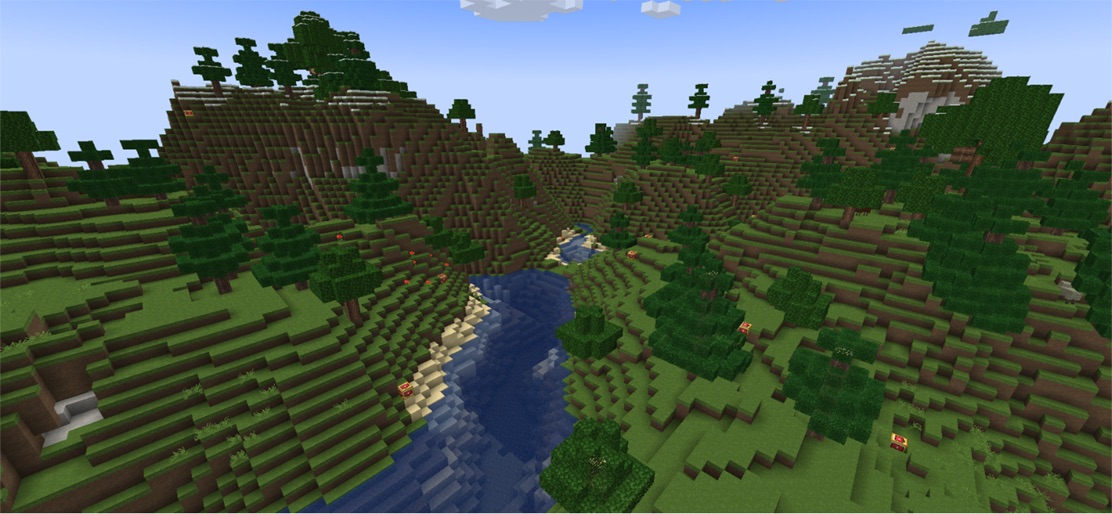
Create, survive, and explore! Join millions in Planet Craft: Mine Block World – mini crafting adventures in 3D! Welcome to PlanetCraft — a survival and creative block-craft game. Mine resources, craft blocks, and build your own mini 3D world. Play solo or online with friends in an endless world of exploration and creation. FEATURES: ● Open world multiplayer with SURVIVAL and CREATIVE modes. Build and chat ● Thousands of fun MINI 3D WORLDS created by real players online for lite EXPLORATION ● Totally FREE ● MULTI-CRAFTING AND BUILDING recipes for blocks, items, tools, and armor for all your needs ● Wide variety of WEAPONS: bow, crossbow, snowball, splash potions, and more ● Friendly animals and hostile MOBS ● ADOPT PETS: wolves, ocelots, use spawn eggs, ride horses ● MINE & BUILD cube farms by growing different plants. Use bone meal to speed up the growth! ● An infinite cube planet makes exploration, survival, crafting, and building even more fun ● CLANS. Create your own clan or join an existing one. ● Explore WOODLAND MANSIONS full of chests with valuable loot — but beware of dangerous monsters ● Enchanting system: enhance armor, tools, and weapons, craft unique items ● REDSTONE SYSTEM: build any redstone circuits you can imagine ● 300+ themed SKINS ● 10+ predefined mini worlds to start CRAFTING AND BUILDING ● 3D HD cube graphics, 4+ texture packs, and cute sounds ● Password-protected parental control ● Play online via the internet or Wi-Fi, or offline GAME MODES: ► Global SURVIVAL MULTIPLAYER — mine resources, craft blocks, fight, and interact with real players in an open world ► CREATIVE MULTI-PLAYER (Rentable, Renewable) — build amazing 3D creations and explore thousands of player-made worlds ► SURVIVAL CRAFT & CREATIVE SINGLE PLAYER — enjoy the game offline at your own pace ► PRIVATE MAPS — customize your cube world with access control for map modifications MINI GAMES: start as a prop or hunter in Hide & Seek. HIGHLIGHTS: * Open-world gameplay * Amazing 3D buildings * Lite exploration * Crafting and building recipes * Friendly atmosphere * Multi-block craft, real-time chat * Lots of animals * Attacking hostile mobs * Different weapons and enchantments * Free, fun, and easy to play Join Planet Craft and start building your amazing mini world today!
Create screenshots like Mini Block Craft: Planet Craft
Use FlyerBanana's free editor to create professional App Store screenshots inspired by Mini Block Craft: Planet Craft's design. 100+ templates, device frames, and one-click export.
More Entertainment Apps
View all

YouTube
Entertainment


Spotify: Music and Podcasts
Entertainment


TikTok - Videos, Shop & LIVE
Entertainment


Pandora: Music & Podcasts
Entertainment


Shazam: Find Music & Concerts
Entertainment


Photo Lab Picture Editor & Art
Entertainment