
App Store Screenshots (6)



About Money Manager : Track Expense
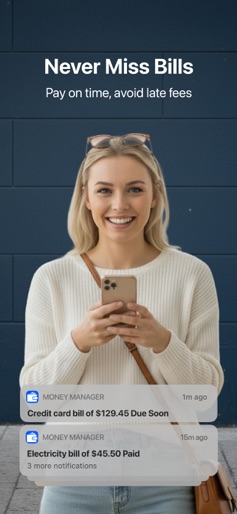
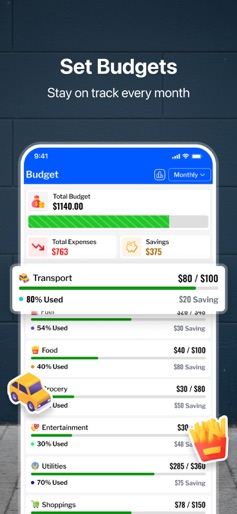
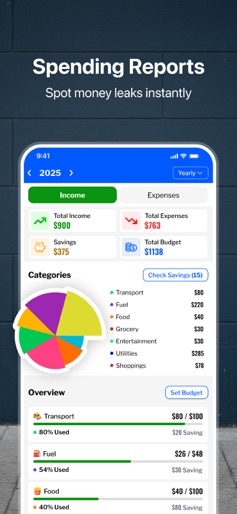
Take control of your finances with Money Manager – the smart budgeting app built for your daily money goals. Whether you're tracking every dollar, set up like You Need a Budget, or simply need a better way to manage bills and expenses — Money Manager helps you stay on top of your money effortlessly. And the best part? It works 100% offline — so your data stays private and accessible anytime, anywhere. All-in-One Budgeting & Expense Tracker A Money Manager is more than just an expense tracker. It's your all-in-one budget planner, money saver, and personal finance assistant, helping you build better habits and gain financial clarity — without the overwhelm. Key Features: - Offline Access: Use the app without internet; your data is stored securely on your device. - Expense & Income Tracking: Easily log transactions and categorize your spending to understand where your money goes. - Budget Planner: Set custom spending limits and monthly budgets, You Need a Budget so you never go over. - Bill Reminders & Due Date Alerts: Get notified before bills are due — no more missed payments or late fees. - Daily Expense Reminders: Keep your habits consistent by tracking daily expenses with simple prompts. - Insightful Spending Reports: Visualize your monthly trends with smart charts and breakdowns to see how you can save more. - Secure PIN Lock: Protect your financial data with security features you can trust. - Downloadable Statements: Export your budget history to Excel or PDF for offline access or financial planning. - SMS Transaction Detection: Automatically detect financial SMS notifications and add them to your logs with one tap. - Ledger Balance Tracking (New!): Track borrowed or lent money — see who owes you and who you owe in a simple ledger format. - Custom Categories: Organize your spending with categories you create. Why Choose Money Manager? Whether You Need a Budget Setup or Check Daily Spending reports, Money Manager is the simple yet powerful budgeting app that adapts to you. Use it as: - Daily Expense Tracker - Monthly Budget Planner - Personal Bill Reminder - Spending Analyzer - Money Saving Tracker - Debt and Loan Ledger Manager Track Every Dollar. Build Better Habits. Save More. Stop guessing where your paycheck went. Start making smarter decisions with Money Manager, the only budgeting app you need. Download now and set up your first budget in under 2 minutes! Terms of Use: https://www.apple.com/legal/internet-services/itunes/dev/stdeula/ Privacy Policy: https://sportsmaster.co.in/policy_files/expense-manager-privacy-policy.html
Create screenshots like Money Manager : Track Expense
Use FlyerBanana's free editor to create professional App Store screenshots inspired by Money Manager : Track Expense's design. 100+ templates, device frames, and one-click export.