

App Store Screenshots (5)




Design Analysis
Visual Design
App Insights
About Moovit: Your Transit Tracker
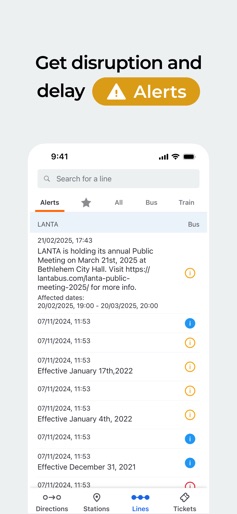
Moovit is the world's #1 urban mobility app. All local transit options in one app: buses, trains, subway, bikes, scooters, Uber, Lyft, and more. Plan, pay, and ride. Transform the way you navigate your city with Moovit, the all-in-one app for urban transit. Whether you’re taking the bus, subway, train, or even hopping on a dockless scooter, Moovit delivers essential information to streamline your journey. Why Choose Moovit? - Real-Time Arrivals: Access up-to-the-minute arrival information directly from GPS on buses and trains. No more guessing—plan your trips with confidence and avoid unnecessary waiting. - Seamless Digital Payments: Effortlessly purchase and validate your bus and train tickets with just a tap (available in select cities), making your travel experience smoother than ever. - Instant Alerts: Stay ahead of disruptions with real-time alerts about service changes, delays, and traffic issues. Moovit keeps you informed so you can adjust your plans on the fly. - Step-by-Step Live Navigation: Navigate your route with live, guided directions from point A to B. Know how far to walk, get real-time arrival updates, and receive notifications as you near your destination. - Augmented Reality Way Finder: Locate your bus or train stop easily with our innovative AR feature, ensuring you never miss your ride. - Community-Powered Insights: Leverage user-reported issues to stay updated on station conditions, service disruptions, and schedules, ensuring you have the latest information at your fingertips. - Personalized Favorites: Quickly access your favorite lines, stations, and places. Get real-time updates on any changes that may affect your regular routes. - Comprehensive Bike Routes: Plan bike-friendly routes alongside your transit options. Access updated bike docking stations and integrate bike trips with public transport seamlessly. - Offline Maps: Explore transit maps offline or underground, ensuring you always have the information you need, even without a signal. Moovit proudly serves over 930 million users in more than 3,400 cities worldwide, collaborating with leading public transit agencies to provide you with the best urban mobility solutions. You only need one app for all your transit needs, covering the U.S. and 112 other countries in 45 languages. Whether you want to know bus times, train schedules, or the last departures from any stop, Moovit has you covered. Download Moovit today—ride with confidence! Contact us: * https://support.moovitapp.com/hc/en-us/requests/new?ticket_form_id=175869 * https://www.facebook.com/moovit * https://twitter.com/moovit Terms of Use https://moovitapp.com/en-us/legal/terms-of-service-en
Create screenshots like Moovit: Your Transit Tracker
Use FlyerBanana's free editor to create professional App Store screenshots inspired by Moovit: Your Transit Tracker's design. 100+ templates, device frames, and one-click export.