
App Store Screenshots (6)


Design Analysis
Visual Design
App Insights
About My Shark - AR Virtual Pet Game
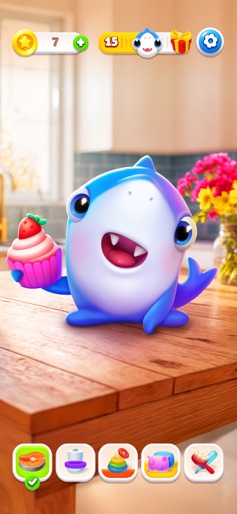
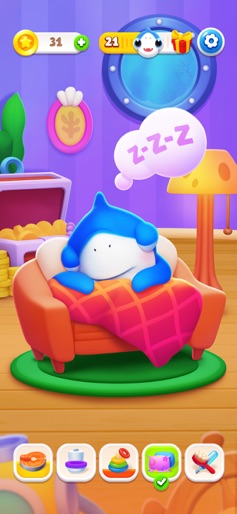
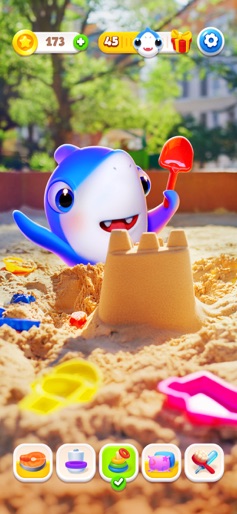
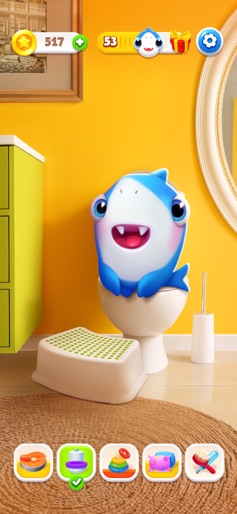
Ever wanted a shark as your best buddy? It is possible with My Shark! Swim into a world of fun and adopt your very own lovable, fintastic friend. Let the adventure begin. A pet that loves you to bits (and fins!) This little cutie is no ordinary pet; it’s your home shark that loves to play, wiggle its tail, and make you smile. Just look at those sparkling eyes and that adorable toothy grin - it’s impossible not to love! Feed your sharkie yummy snacks, dive into fun games together, and go on the coolest indoor adventures. Give it all your love, and it’ll splash your day with laughter and joy. And the best part? Your sharkie is always by your side, your best friend forever in the whole world! Forget goldfish - this shark’s the real deal, and way cooler! MY SHARK GAME FEATURES: AUGMENTED REALITY. See it to believe it. Use your phone’s camera, hit the AR button, and - boom! Your sharkie is swimming around your living room! SNAP & SHARE. Capture the cutest, funniest moments with your shark and share them with friends or show off on social media. EXTRA ITEMS. Take awesome care of your fintastic buddy, play together, and unlock awesome rewards. SO LIFELIKE! Your shark reacts to every tap and touch. Give it a gentle nose boop or a belly rub - it’ll love it. MORE FUN. While your shark is snoozing or busy with some important fishy business, enjoy a bunch of mini-games. Your shark is packed and ready to move in - let the fun begin. My Shark turns caring into a splashy adventure. From feeding your sharkie to making sure it’s happy and loved, every moment with your virtual shark teaches kindness, patience, and the joy of having a loyal companion. It's a great way to nurture a caring heart while having endless fun. Everyone loves playing with My Shark - it's a blast! Your shark can’t wait to meet you. Download My Shark now. Your new best friend is just a tap away - let the splashing fun begin! Subscription options: Weekly Membership offers weekly subscription after a 3-day free trial for unlocking all content and features. End of trial and subscription renewal: - Payment will be charged to iTunes Account at confirmation of purchase. - Subscription automatically renews unless auto-renew is turned off at least 24-hours before the end of the current period. - Account will be charged for renewal within 24-hours prior to the end of the current period, and identify the cost of the renewal. - Subscriptions may be managed by the user and auto-renewal may be turned off by going to the user’s Account Settings after purchase. - Any unused portion of a free trial period, if offered, will be forfeited when the user purchases a subscription to that publication, where applicable. Privacy Policy: https://docs.appsyoulove.com/policies/privacy-policy Terms of Use: https://docs.appsyoulove.com/policies/terms-of-use
Create screenshots like My Shark - AR Virtual Pet Game
Use FlyerBanana's free editor to create professional App Store screenshots inspired by My Shark - AR Virtual Pet Game's design. 100+ templates, device frames, and one-click export.
More Entertainment Apps
View all

YouTube
Entertainment


Spotify: Music and Podcasts
Entertainment


TikTok - Videos, Shop & LIVE
Entertainment


Pandora: Music & Podcasts
Entertainment


Shazam: Find Music & Concerts
Entertainment


Photo Lab Picture Editor & Art
Entertainment