

App Store Screenshots (10)





Design Analysis
Visual Design
App Insights
About Norton360 Antivirus & Security
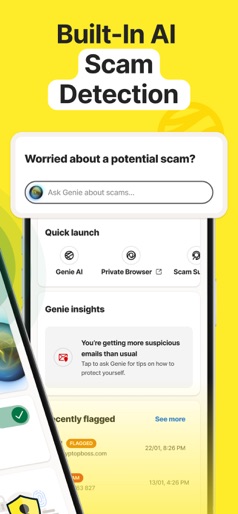
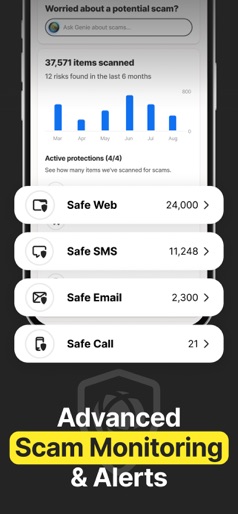
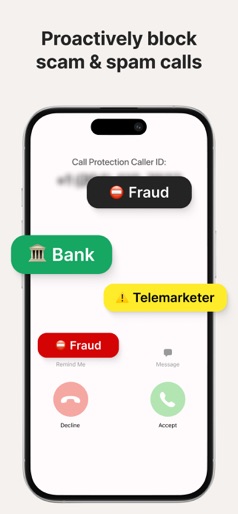
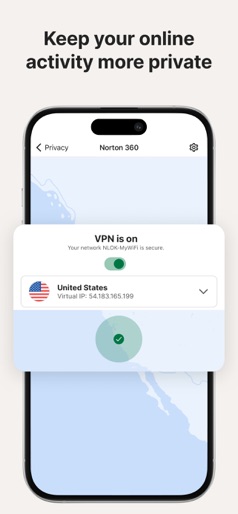
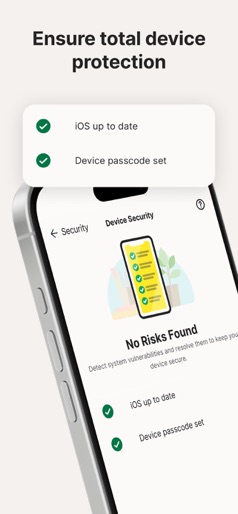
Navigate the web more safely with Norton 360 for iOS. Norton 360 ensures robust mobile security, including AI-powered malware protection, and VPN for privacy online. Built-in scam protection helps keep you safe while browsing, shopping, or texting. New: Scam Protection Pro AI-powered protection against sophisticated scams. Provides holistic coverage across email, web, phone calls, and SMS. - Norton Genie - AI assistant - Safe SMS: AI scam protection against spam calls - Safe Web: AI helps protect you from scams when browsing online. - Safe Call: Proactively blocks scam and junk calls - Safe Email: 24/7 AI scam protection for your email inbox Device Security: scans for outdated operating systems and missing device passcodes to help you keep your data safer if your device is stolen. Norton Genie: Can answer your cyber safety questions, helps you identify scams in messages and in YouTube videos.[3] VPN: Help protect your private information with bank-grade encryption for a more secure connection, access to the content you love - wherever you are WiFi Security: scan WiFi networks to learn if your device is connected to vulnerable network. Safe SMS: filters spam SMS text messages that may contain phishing attacks with AI protection. Safe Web: advanced AI helps protect you from scams when browsing online by checking for scams on the pages you visit. Ad Tracker Blocker: Helps block ads on different platforms for added privacy & security. Dark Web Monitoring: We monitor the dark web and notify you if we find your personal information, security or privacy breaches.[2] Subscription details - Feature availability may vary based on your plan and country. - An annual subscription is required to activate the 7-day trial (see in-app product pricing). - Cancel the subscription from your account before the end of the trial to avoid payment. - After the 7-day trial, your subscription will start and automatically renew annually unless canceled. - You can manage your subscriptions and adjust automatic renewals in your Apple account settings after purchase. - The 7-day trial applies to eligible subscription plans and may vary by offer. Privacy Statement Norton respects your online privacy and is dedicated to safeguarding your personal data. See https://www.norton.com/privacy for more information. No one can prevent all cybercrime or identity theft. [1] Secure Norton VPN is not available in all countries. The VPN feature is no longer available for use within India as a result of governmental regulations requiring the logging and saving of user data, but you can still use your subscription when traveling outside of India. [2] Dark Web Monitoring is not available in all countries. Monitored information varies based on country of residence or choice of plan. It defaults to monitor your email address and begins immediately. Sign in to your account to enter more information for monitoring. [3] Currently available in early access and supports only YouTube videos in English. Norton 360 offers powerful antivirus protection with malware scanning, spyware detection, a virus cleaner, and a smart VPN to keep your device safe from online threats.
Create screenshots like Norton360 Antivirus & Security
Use FlyerBanana's free editor to create professional App Store screenshots inspired by Norton360 Antivirus & Security's design. 100+ templates, device frames, and one-click export.
More Privacy Apps
View all

VPN - Super Unlimited Proxy
Privacy


Now VPN - Fast Secure Proxy
Privacy

HideU: Calculator Lock
Privacy

NordVPN: VPN Fast & Secure
Privacy


Calculator - Hide Photo, Video
Privacy

Gallery Vault-Hide Photo Video
Privacy