

App Store Screenshots (10)




Design Analysis
Visual Design
App Insights
About Photoshop Express Photo Editor
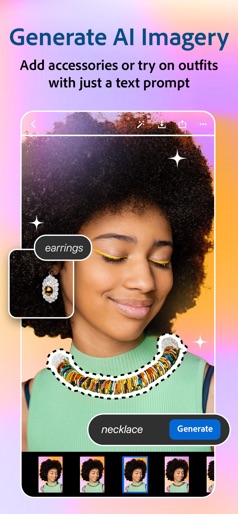
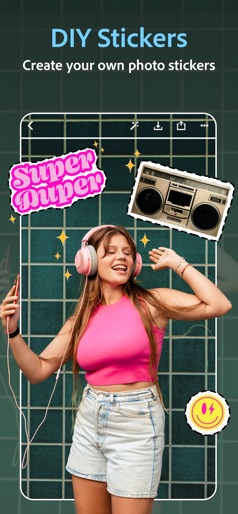
PHOTO EDITING MADE FUN AND EASY FOR EVERYONE Tap into your creativity on the go with Photoshop Express—the fun, fast, and easy picture and video editor. Discover seamless one-touch photo transformations and simple video editing—used by millions of creative individuals. Photoshop Express delivers a wide and diverse selection of features and aesthetics at your fingertips. Create stand out photo collage images, and fix and enhance your share-worthy moments for stunning social content. Unlock unlimited possibilities with Photoshop Express Premium! PHOTOSHOP EXPRESS FEATURES PHOTO ENHANCER - Select from an array of photo editing tools and presets - Apply red eye corrector, dehazing, and aesthetic filters - Crop photo dimensions and fix crooked or distorted camera angles - Erase background noise and smooth over imperfections with a few simple swipes - Retouch photos with just a tap, and fix portraits and selfies in seconds - Create an amazing photo collage with ready-to-use grid layouts VIDEO EDITOR - Trim clips, adjust speed, recolor, resize, and rotate for high resolution video exports right from your phone - Add multiple videos from your camera roll to combine into one video - Access thousands of music tracks to get the perfect mood for your edit PERSONALIZED IMAGE DESIGN - Add text to your photos from a wide array of fonts and layouts - Use our image editor to add personalized touches to your photos - Create a photo design with camera filters, stamps, custom watermarks, and more UPLOAD & SHARE PHOTOS EASILY - Upload images from multiple source formats (including RAW and TIFF) - Use our photo editing app as a social and Instagram editor for photos - Share and export to all your favorite social media channels including Instagram, TikTok, Snapchat, Facebook, Line, and Telegram, to inspire others PREMIUM Upgrade to Photoshop Express Premium to access extra, exclusive features and more precise editing controls. Photoshop Express is the photo and video editor app for users of all experience levels. Create and fix fun, shareable memes, personalized pic collages, and stickers. Adobe Terms of Use: Your use of this application is governed by the Adobe General Terms of Use http://www.adobe.com/go/terms_linkfree_en and the Adobe Privacy Policy http://www.adobe.com/go/privacy_policy_linkfree_en Do not sell or share my personal information www.adobe.com/go/ca-rights-linkfree
Create screenshots like Photoshop Express Photo Editor
Use FlyerBanana's free editor to create professional App Store screenshots inspired by Photoshop Express Photo Editor's design. 100+ templates, device frames, and one-click export.
More Creativity Apps
View all

Craftsman: Building Craft
Creativity


Video Editor & Maker - InShot
Creativity


Color by Number:Coloring Games
Creativity


Picsart AI Photo Editor, Video
Creativity


Filmora: AI Video Editor&Maker
Creativity


GoPro Quik
Creativity