

App Store Screenshots (10)



Design Analysis
Visual Design
Style: Custom
Key Features Shown
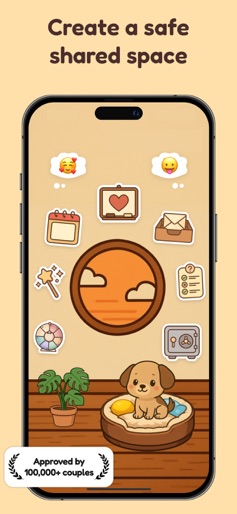
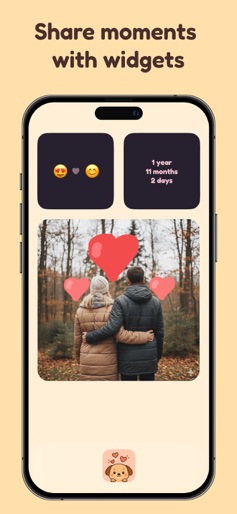
- •Interactive Home Space
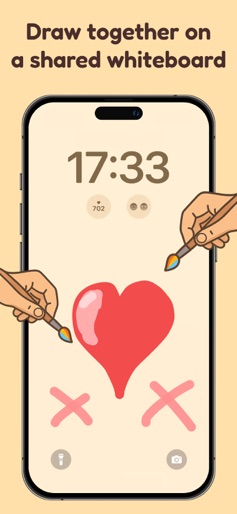
- •Shared Lock-screen Whiteboard
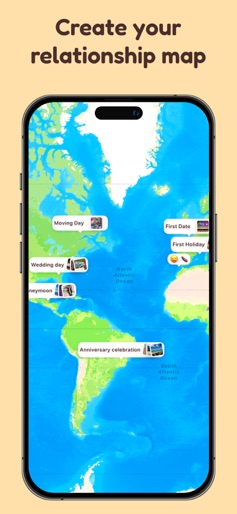
- •Relationship Milestone Map
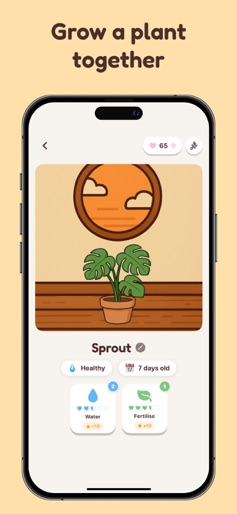
- •Virtual Pet Care System
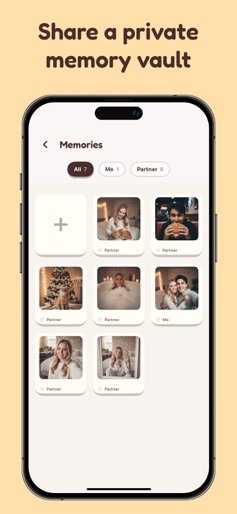
- •Passcode Protected Photo Vault
App Insights
Target: Couples in all stages of relationships, specifically targeting Gen Z and Millennials, as well as Long Distance Relationship (LDR) pairs looking for digital intimacy.
- •Subscription
- •In-App Purchases (Consumables)
ASO Keywords:
About Pookie - Fun Couples App
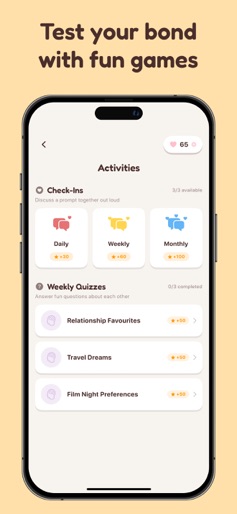
Pookie - Your Shared Space for Love Pookie is the couples app designed to bring you and your partner closer together, no matter the distance. Create a private shared space where you can nurture your relationship through fun activities, heartfelt messages, and adorable virtual companions. Raise a Virtual Pet Together Adopt and care for an adorable pet as a couple. Feed, water, and play with your shared companion to keep them happy and healthy. Watch your pet react with cute animations as you both show it love. Choose from a variety of pets including dogs, cats, pandas, rabbits, penguins, capybaras, and more. Grow a Plant as a Couple Nurture a virtual plant together. Water and fertilize it regularly to watch it thrive. Pick from different plant types like monstera, cactus, sunflower, and bush to match your style. Send Love Notes and Doodles Stay connected with private messaging. Send sweet text messages or draw personalized doodles for your partner. Your messages appear right on their home screen widget so they always know you are thinking of them. Private Photo Vault Store your favorite couple photos in a secure, passcode-protected vault. Only you and your partner can access your shared memories. Filter photos by who added them and view them in a beautiful gallery. Share Your Mood Let your partner know how you are feeling with mood updates. Choose from preset moods or express exactly what is on your mind. See your partner's current mood at a glance and stay emotionally connected throughout the day. Track Important Dates Never forget an anniversary, birthday, or special milestone again. Add important dates and get reminders as they approach. Mark dates as yearly to track anniversaries and see how many years you have celebrated together. Date Ideas Stuck on what to do together? Browse curated date ideas across categories like Romantic, Adventure, At Home, Food and Drinks, Outdoors, and Creative. Mark dates as complete and add your own custom ideas to the list. Weekly Quizzes Test how well you know each other with fun weekly quizzes. Answer questions about your partner and earn XP rewards. New quizzes rotate in every week to keep things fresh. Relationship Progression Earn XP by caring for your pet and plant, sending messages, updating your mood, and completing quizzes. Level up your relationship together and unlock rewards along the way. Claim hearts when you reach new levels and use them to unlock new pets, plants, and backgrounds. Home Screen Widgets Add beautiful widgets to your home screen to see your partner's latest doodle, mood, or your shared pet at a glance. Stay connected without even opening the app. Daily Rewards Check in daily to claim heart rewards. Build your streak for bigger bonuses, with a special reward on day seven of each week. Customize Your Space Use hearts to unlock new pet types, plant varieties, and backgrounds. Personalize your shared space to reflect your unique relationship. Free Features: - Shared virtual pet with basic pet type - Shared virtual plant with basic plant type - Two messages per day - Photo vault with passcode protection - Mood updates every three hours - Important date tracking - Date ideas browsing - Weekly quizzes - Relationship XP and leveling - Daily check-in rewards - Home screen widgets - Basic backgrounds Premium Subscription Benefits: - Unlimited messages to your partner - Double XP earnings on all activities - Support continued app development Hearts can be earned through leveling up and daily rewards, or purchased separately to unlock cosmetic items faster. Your privacy matters. All your data stays between you and your partner. We do not sell your information or show you ads. Start building your shared space today. Download Pookie and grow closer together, one day at a time. https://pookie-app.com/privacy https://pookie-app.com/terms
Create screenshots like Pookie - Fun Couples App
Use FlyerBanana's free editor to create professional App Store screenshots inspired by Pookie - Fun Couples App's design. 100+ templates, device frames, and one-click export.
More Entertainment Apps
View all

YouTube
Entertainment


Spotify: Music and Podcasts
Entertainment


TikTok - Videos, Shop & LIVE
Entertainment


Pandora: Music & Podcasts
Entertainment


Shazam: Find Music & Concerts
Entertainment


Photo Lab Picture Editor & Art
Entertainment