

App Store Screenshots (5)
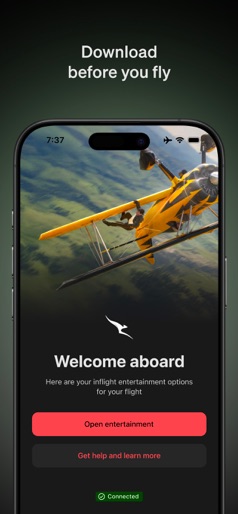
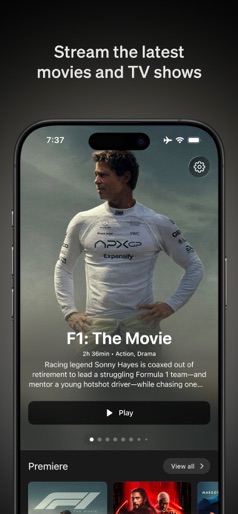

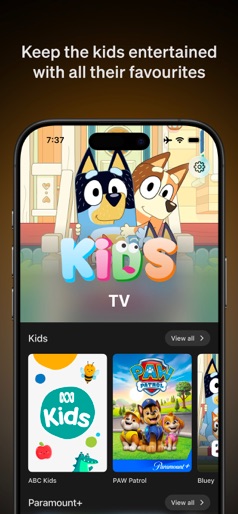

Design Analysis
Visual Design
Style: iOS Native
Key Features Shown
- •3D Flight Tracking
- •Picture-in-Picture mode
- •Kids dedicated section
- •Search and Filter functionality
- •Content Detail Pages
App Insights
Target: Qantas domestic airline passengers traveling within Australia who utilize personal electronic devices for in-flight entertainment.
- •Value-add for airline ticket purchase
- •Brand loyalty
- •Indirect revenue via passenger retention
ASO Keywords:
About Qantas Entertainment
Stream over 10,000 hours of movies, TV shows and more on your next domestic flight directly to your personal device. Download the Qantas Entertainment App before you fly to start watching from the moment you board, until landing at your destination. The Qantas Entertainment App allows you to connect to the onboard wireless network, on selected Qantas domestic flights, so you can watch or listen to: • Movies • TV shows • Audiobooks The Qantas Entertainment App is best enjoyed on iPad. Please remember to charge your personal device and to bring your headphones. Visit www.qantas.com/entertainment for more information.
Create screenshots like Qantas Entertainment
Use FlyerBanana's free editor to create professional App Store screenshots inspired by Qantas Entertainment's design. 100+ templates, device frames, and one-click export.
More Entertainment Apps
View all

YouTube
Entertainment


Spotify: Music and Podcasts
Entertainment


TikTok - Videos, Shop & LIVE
Entertainment


Pandora: Music & Podcasts
Entertainment


Shazam: Find Music & Concerts
Entertainment


Photo Lab Picture Editor & Art
Entertainment