
App Store Screenshots (10)





Design Analysis
Visual Design
App Insights
About Remini - AI Photo Enhancer
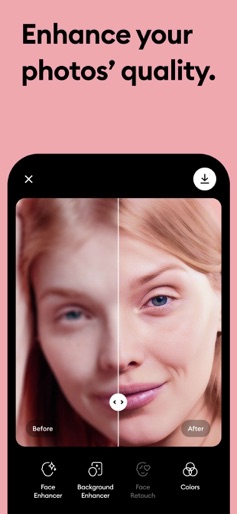
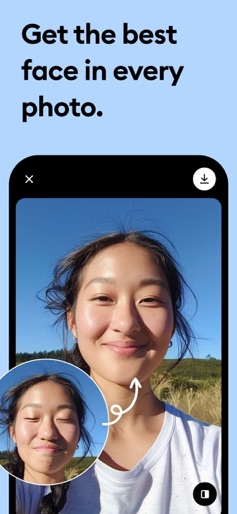
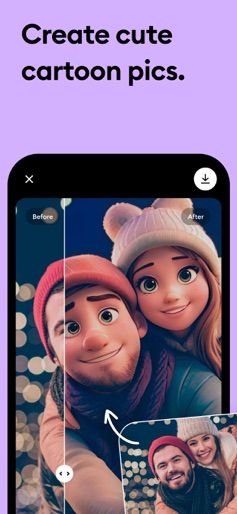
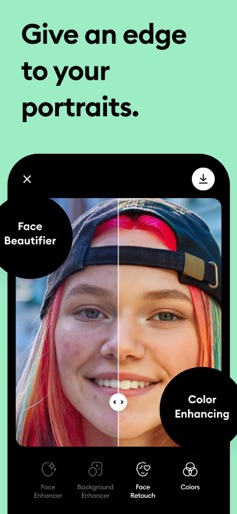
Turn your old, blurry photos into gorgeous, clear HD in just ONE TAP. It’s like magic! With Remini, you can give your grainy, pixelated, damaged, low-resolution photos a new lease of life. Marvel at how stunning they look in clear, sharp high-definition. Over 100 million photos already revitalized. Remini is one of the most popular and beloved photo-enhancement apps in the world. Delight your parents by revamping their vintage photo albums. Remini’s incredible, movie-grade AI technology does all the hard work. You can enjoy the results together. -------- Use Remini to... -------- • Turn facial photo into high-definition • Enhance everyday portraits and selfies to stunning, influencer-style output • Repair old/blurry/scratched photo • Make share-worthy viral content with before/after comparisons • All done by state of the art AI technology • More stunning features on the way! The app is available in: English, Hindi, Japanese, Korean, Portuguese, Russian, Simplified and Traditional Chinese, Spanish, and Thai. Subscribe to have unlimited access to premium features as well. • Subscription length: weekly, monthly, yearly • Your payment will be charged to your iTunes Account as soon as you confirm your purchase. • You can manage your subscriptions and turn off auto-renewal from your Account Settings after the purchase. • Your subscription will renew automatically, unless you turn off auto-renew at least 24 hours before the end of the current period. • The cost of renewal will be charged to your account in the 24 hours prior to the end of the current period. • When canceling a subscription, your subscription will stay active until the end of the period. Auto-renewal will be disabled, but the current subscription will not be refunded. • Any unused portion of a free trial period, if offered, will be forfeited when purchasing a subscription. Have a feature request you would like to see in a future version of the app? Do not hesitate to contact us at support@remini.ai Terms of Service: https://www.bendingspoons.com/tos.html?app=1470373330 Privacy Policy: https://www.bendingspoons.com/privacy.html?app=1470373330
Create screenshots like Remini - AI Photo Enhancer
Use FlyerBanana's free editor to create professional App Store screenshots inspired by Remini - AI Photo Enhancer's design. 100+ templates, device frames, and one-click export.
More Entertainment Apps
View all

YouTube
Entertainment


Spotify: Music and Podcasts
Entertainment


TikTok - Videos, Shop & LIVE
Entertainment


Pandora: Music & Podcasts
Entertainment


Shazam: Find Music & Concerts
Entertainment


Photo Lab Picture Editor & Art
Entertainment