

Rhythm Fire-EDM Shooting Game
Adaric Music
App Store Screenshots (5)

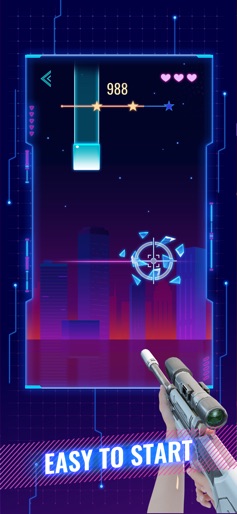


About Rhythm Fire-EDM Shooting Game
Various guns, unlimited ammo—this’s the idealized aim training you’ve always wanted! Rhythm Fire is a shooting-music game with genres of songs, offering you fantastic gameplay. All you need is to aim and shoot——to the beat. This is not a typical music game, but a combine of rhythm game and shooting game. It will train both your aiming skills and sense of rhythm. Whether you are a cold-blooded aimbot or a potential artist, this game will benefit you as well. All stages are meticulously designed by our professional music creators, with every single note perfectly matching the music. Imagine a master of both guns and piano, that could be you. How to Play: - Hold and drag, aim at your target notes - Wait for the timing, try to catch the notes - As soon as notes get close, your gun will automatically shoot - If you miss a note, you will lose 1 life point - Enjoy the music, move your finger to the beat Game features: - Cool 3D guns featuring a variety of models - Neon style UI with fantastic graphics - High quality music and accurate gun sounds - Manually polished stages - Adjustable difficulties If any music producers or labels have a problem with the music and images used in the game, or any players have any advice to help us improve, please feel free to contact us at contact@codiplayer.com. Privacy Policy: http://www.codiplayer.com/privacy.html Terms of use: http://www.codiplayer.com/terms.html
Create screenshots like Rhythm Fire-EDM Shooting Game
Use FlyerBanana's free editor to create professional App Store screenshots inspired by Rhythm Fire-EDM Shooting Game's design. 100+ templates, device frames, and one-click export.