

App Store Screenshots (9)




Design Analysis
Visual Design
App Insights
About Simply Auto: Car Maintenance
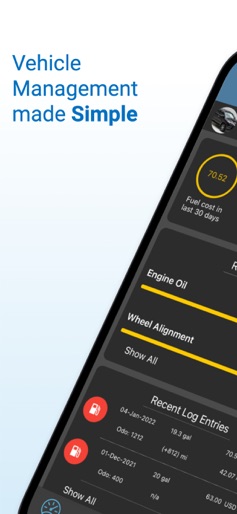
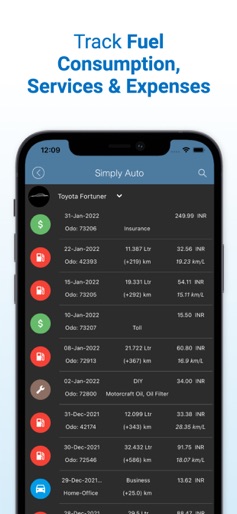
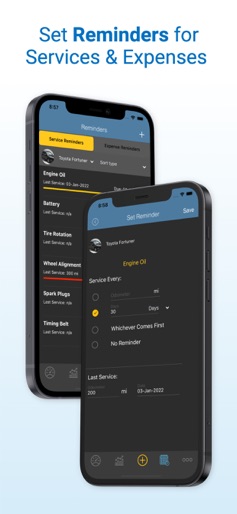
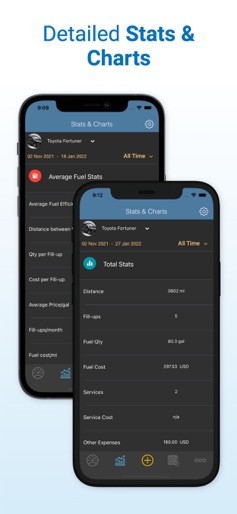
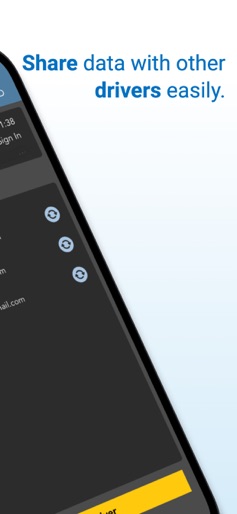
Simply Auto, trusted by thousands of users worldwide, is a vehicle management app for cars, motorcycles, trucks and fleets. It helps with fuel management, maintenance reminders, mileage recording and tracking other vehicle expenses. The app provides secure backups on the cloud too. Track Your Fuel log and Vehicle Expenses • This app helps you to track your vehicle maintenance, fill-ups, mileage, expenses, and trips. • Capture and upload receipts at the time of fill-ups or later • Send reports for fill-ups and mileage logs directly from the app • Various stats and graphs available for you to track fuel efficiency, fuel cost/month, service cost/kilometre, monthly tax-deduction, etc. • The only fuel log that lets you track your car's fuel economy by Octane, Fuel Brand and Filling Station • Electric car owners can track their vehicle in Kilowatt-Hour. Manage Your Vehicle Maintenance • Set service reminders by mileage or date • Add multiple receipts for fill-ups, services, and expenses • Manage all your vehicle expenses and maintenance reminders for small and medium fleets • Track your vehicle’s fuel running cost Track Your Trips and Tax-Deduction • GPS tracker record all your tax deductible and reimbursable mileage • Maintains business as well as a personal trip log Instant Back-Up on Cloud • 100% Instant backup on the cloud • Sync across multiple devices Share Data with Multiple Drivers • Share data instantly with multiple drivers sharing vehicles. Other Key Features: • Access your vehicle database on the web at our website • Schedule Automated week/monthly reports • Multiple vehicles supported • A perfect companion for Uber, Lyft and other rideshares drivers • Export and import log files as CSV to phone memory or Google Drive • Supports voice input. So, you can speak and enter values for fill-ups • Import data directly from aCar. For any other app, we have a self-explanatory guide within the app, or you could write to us at support@simplyauto.app • Multiple settings available to track your data (kilometer, mile, litre, gallon (US), gallon (UK), km/l, l/100kms, mpg (US), mpg (UK)) • Supports partial fill-ups • Highly customizable screens • Change the quantity unit for individual fill-ups Simply Auto offers two types of In-App Purchases 1) GOLD, which is a one time purchase and includes: • Instantly backup all your data in the cloud • Sync between multiple devices using the same login • Get access to your data on the web (our website) • Track trips via GPS • Backup and restore receipts on Google Drive • Add new service and expense types • Email your receipts and logs • Remove Ads 2) PLATINUM, which is a yearly subscription and includes: • All features of GOLD • Add unlimited vehicles • Sync data with unlimited drivers • Send automated weekly or monthly reports • Subscription automatically renews unless auto-renew is turned off at least 24-hours before the end of the current period. • The account will be charged for renewal within 24-hours prior to the end of the current period. • Subscriptions may be managed by the user and auto-renewal may be turned off by going to the user's Account Settings after purchase. • Payment will be charged to iTunes Account at confirmation of purchase "T & C: http://www.simplyauto.app/Terms2.html" "Privacy Policy: http://simplyauto.app/policy.html"
Create screenshots like Simply Auto: Car Maintenance
Use FlyerBanana's free editor to create professional App Store screenshots inspired by Simply Auto: Car Maintenance's design. 100+ templates, device frames, and one-click export.
More Automotive Apps
View all

CARFAX - New & Used Cars
Automotive


Car Saler Simulator Dealership
Automotive


Otomoto: Auto Marketplace
Automotive


CARFAX Car Care
Automotive


Radarbot: Radar Detector, GPS
Automotive


Crash test AvtoVAZ Lada
Automotive