
SongMaker-AI Music Generator
Hangzhou Xinglu Network Information Technology Co., Ltd.
Create Screenshots Like SongMaker-AI Music GeneratorApp Store Screenshots (9)




Design Analysis
Visual Design
App Insights
About SongMaker-AI Music Generator
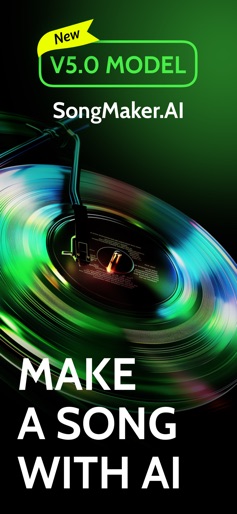
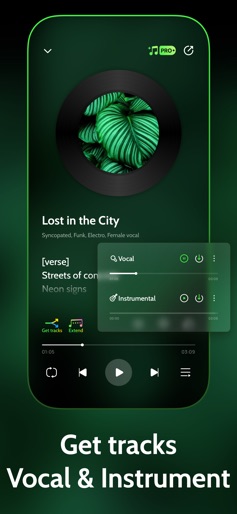
Unleash Your Musical Talent! Discover AI Melody Maker, powered by SongMaker.AI, and experience music creation like never before. Effortlessly create original AI songs! Introducing your personal AI-powered music and song generator: SongMaker.AI. With SongMaker.AI, transform your imagination into mesmerizing melodies with ease. Our cutting-edge AI technology converts your ideas and prompts into captivating music in just seconds. KEY FEATURES: ● AI Auto-Composition: Simply input a few keywords or choose an emotional theme, and AI Melody Maker will generate a complete song for you. ● Multiple Music Genres: Supports various music styles including pop, rock, jazz, classical, and more, giving your creations a diverse touch. ● Step-by-step creation process: Write your own lyrics or use the "Generate" option to let AI create them based on your description. You can also paste lyrics from your favorite song to create a unique cover. Choose the musical genre for your song. You can pick straightforward labels like "hip-hop" or "rock," or specify intricate styles like "bossa nova with UK drill and electric piano." The AI will shape the track's style and ambiance accordingly. Name your upcoming hit. Start the song creation process with a single click. ● Create unique AI songs: Start the creation process, and our AI handles everything: Lyric Analysis: Ensures your lyrics fit the genre’s structure. Melody Composition: Crafts a melody that matches your lyrics. Vocal Attributes: Determines the best vocal qualities for your song. Voice Synthesis: Generates a fitting vocal track. Final Integration: Merges vocals with music, performs quality checks, and makes final adjustments. ● Share your creations: Within minutes, you'll receive a unique, high-quality song ready for any professional use. Impress your audience, use it as a standout background track, share it with friends, or have it featured in public venues. You can also download your song as a video clip for added versatility. Who Is It For: ● Music Enthusiasts: Easy to use whether you have prior music composition experience or not. ● Professional Musicians: Provides inspiration and material for your compositions, enhancing your creative efficiency. ● Educators: Serves as a teaching tool to inspire students' interest in music creation. Embrace the future of music creation with SongMaker.AI. Imagine having a personal music studio in your pocket, ready to generate AI-powered tracks whenever inspiration hits. SongMaker.AI is your trusted partner on your musical adventure. Download now and unleash your musical potential anytime, anywhere. SUBSCRIPTION AND TERMS: ● Subscription service: SongMaker.AI Pro ● Subscription price: - SongMaker.AI Pro Weekly: $6.99 - SongMaker.AI Pro Yearly: $69 You will be charged in your local currency at the prevailing exchange rate as defined by iTunes. ● Payment: Subscriptions can be managed by the user, and the payment will be credited to the iTunes account after the user confirms the purchase and payment. ● Renewal: Apple's iTunes account will be deducted within 24 hours before expiration. After the deduction is successful, the subscription period will be extended by one subscription period. ● Unsubscribe: To unsubscribe, please open the "Settings" section of your Apple phone 24 hours before the expiration of the current subscription period, enter the "iTunes Store and App Store" section, click on "App ID", select "View Apple ID", enter the "Account Settings" page, click "Subscribe", and choose to unsubscribe. If you do not unsubscribe at least 24 hours before the end of the subscription period, your subscription will be automatically renewed. Privacy Policy: https://composer.5starland.com/privacypolicy Terms of Use: https://composer.5starland.com/terms-of-use
Create screenshots like SongMaker-AI Music Generator
Use FlyerBanana's free editor to create professional App Store screenshots inspired by SongMaker-AI Music Generator's design. 100+ templates, device frames, and one-click export.
More Creativity Apps
View all

Craftsman: Building Craft
Creativity


Video Editor & Maker - InShot
Creativity


Color by Number:Coloring Games
Creativity


Picsart AI Photo Editor, Video
Creativity


Filmora: AI Video Editor&Maker
Creativity


GoPro Quik
Creativity