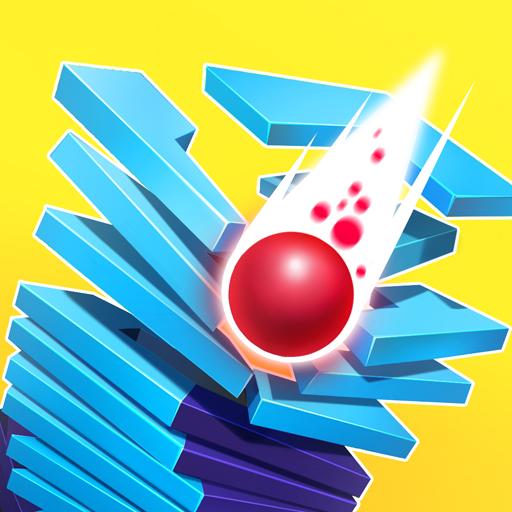
Stack Ball - Crash Platforms icon

Stack Ball - Crash Platforms

AZUR GAMES

Arcade
4.7(838.3K ratings)
Free
Create Screenshots Like Stack Ball - Crash Platforms

App Store Screenshots (8)

Stack Ball - Crash Platforms screenshot 1
Stack Ball - Crash Platforms screenshot 2
Stack Ball - Crash Platforms screenshot 3
Stack Ball - Crash Platforms screenshot 4
Stack Ball - Crash Platforms screenshot 5
Stack Ball - Crash Platforms screenshot 6
Stack Ball - Crash Platforms screenshot 7
Stack Ball - Crash Platforms screenshot 8

Design Analysis

Visual Design

App Insights

About Stack Ball - Crash Platforms

Stack Ball is a 3D arcade game where players smash, bump and bounce through revolving helix platforms to reach the end. Sound easy? You wish! Your ball smashes like a brick through colorful platforms that block its descent, but if you hit a black one, it's all over! Your ball shatters to pieces and you have to start your fall all over again. But even black platforms are no match for a fireball falling at full speed! Choose your strategy: speed up like a madman or stop and wait for your next chance to roll and jump. Other ball games wish they were this fun! Why Stack Ball rules: - Crazy fast speed - Fun gameplay - Bright vibrant graphics - Simple and easy to play - Great time killer

Create screenshots like Stack Ball - Crash Platforms

Use FlyerBanana's free editor to create professional App Store screenshots inspired by Stack Ball - Crash Platforms's design. 100+ templates, device frames, and one-click export.

More Arcade Apps

View all

Frequently Asked Questions

How can I create screenshots like Stack Ball - Crash Platforms?
You can create App Store screenshots inspired by Stack Ball - Crash Platforms using FlyerBanana's free screenshot editor. Choose from 100+ templates, customize colors, text, and device frames, then export in all required sizes.
What screenshot sizes does Stack Ball - Crash Platforms use?
Stack Ball - Crash Platforms uses standard App Store screenshot sizes including 6.7" (1290×2796px), 6.5" (1284×2778px), and 5.5" (1242×2208px) for iPhones. FlyerBanana supports all required sizes with one-click export.
Can I use Stack Ball - Crash Platforms's screenshot style for my app?
Yes! While you shouldn't copy screenshots directly, you can use Stack Ball - Crash Platforms's design patterns as inspiration. FlyerBanana's templates let you create professional screenshots with similar layouts, color schemes, and visual styles.
What makes good Arcade app screenshots?
The best Arcade app screenshots clearly showcase key features, use consistent branding, include compelling copy, and follow App Store guidelines. Browse our Arcade inspiration gallery to see what top apps do well.