Switching Heroes icon

Switching Heroes

ZillionGames Co.,Ltd.

Action
4.8(919 ratings)
Free
Create Screenshots Like Switching Heroes

App Store Screenshots (10)

Switching Heroes screenshot 1
Switching Heroes screenshot 2
Switching Heroes screenshot 3
Switching Heroes screenshot 4
Switching Heroes screenshot 5
Switching Heroes screenshot 6
Switching Heroes screenshot 7
Switching Heroes screenshot 8
Switching Heroes screenshot 9
Switching Heroes screenshot 10

Design Analysis

Visual Design

App Insights

About Switching Heroes

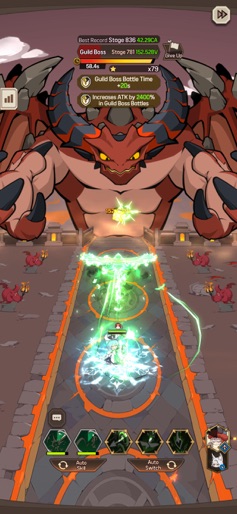
[Game Features] ▶ Rise to the Top of the Demon King’s Tower! The Demon King’s Tower, endlessly rising, is filled with layers of challenges and danger. Each floor brings stronger trials and unpredictable risks. Will you reach the top? ▶ Switch Heroes to Grow Stronger! Fighting alone? Not a chance! No one can stand up to a team! Switch between heroes to activate powerful, special skills, delivering thrilling action with every swap. ▶ Exciting Skill Combos & Hack-and-Slash Action! Take down dozens of monsters in one strike with dazzling skills! Chain endless combos to crush the towering bosses on each floor. ▶ Endless Weapon Summons & Easy Item Farming! Summon artifact equipment even while idle! Collect unique artifacts and build your perfect deck. ▶ Comfortable Controls for Any Situation! Play anywhere, anytime with ease! Enjoy wide-screen play in landscape mode or switch to a simple one-handed portrait mode when you're on the go. ▶ Adorable & Unique Heroes! Charming heroes with distinct personalities will join you on your journey. Build a limitless team and overcome every challenge ahead!

Create screenshots like Switching Heroes

Use FlyerBanana's free editor to create professional App Store screenshots inspired by Switching Heroes's design. 100+ templates, device frames, and one-click export.


More Action Apps

View all

Frequently Asked Questions

How can I create screenshots like Switching Heroes?
You can create App Store screenshots inspired by Switching Heroes using FlyerBanana's free screenshot editor. Choose from 100+ templates, customize colors, text, and device frames, then export in all required sizes.
What screenshot sizes does Switching Heroes use?
Switching Heroes uses standard App Store screenshot sizes including 6.7" (1290×2796px), 6.5" (1284×2778px), and 5.5" (1242×2208px) for iPhones. FlyerBanana supports all required sizes with one-click export.
Can I use Switching Heroes's screenshot style for my app?
Yes! While you shouldn't copy screenshots directly, you can use Switching Heroes's design patterns as inspiration. FlyerBanana's templates let you create professional screenshots with similar layouts, color schemes, and visual styles.
What makes good Action app screenshots?
The best Action app screenshots clearly showcase key features, use consistent branding, include compelling copy, and follow App Store guidelines. Browse our Action inspiration gallery to see what top apps do well.