

TEFS: Crypto Trading Simulator
TEFS.com
App Store Screenshots (7)


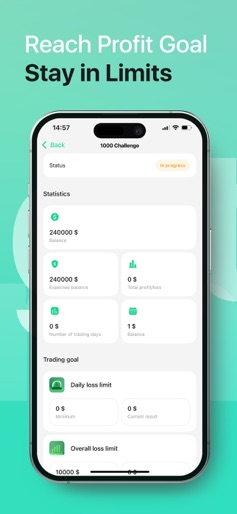
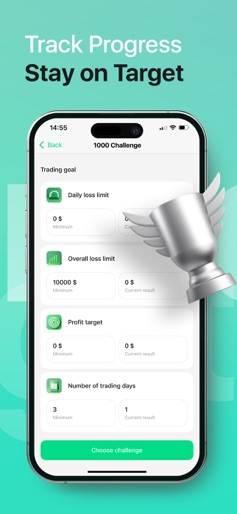

About TEFS: Crypto Trading Simulator
Trade Crypto. Pass Free Challenges. Get Funded. TEFS: Crypto Trading Simulator is the only app where you can earn a real funded trading account — starting from a 100% free challenge. Trade top cryptocurrencies like Bitcoin and Ethereum using real market data, without risking real money. Build your strategy, test your skills, and qualify for a funded account on the TEFS platform. Key Features: – Free trading challenge with real rewards – $10,000 virtual demo account included – 20+ cryptocurrencies with real-time prices – Structured trading challenges with clear rules – Optional paid challenges with softer conditions – Mobile-optimized interface – No signup or deposit required TEFS is not a game — it’s a simulator that helps you practice real trading strategies and gives you the opportunity to earn real capital. No tricks. No fake cash. Just real opportunity. Disclaimer: This app is a trading simulator for educational use only. No real money is used in the app. Success in the simulator does not guarantee results in real trading. Funded accounts and withdrawals are available only via TEFS.com after qualification.
Create screenshots like TEFS: Crypto Trading Simulator
Use FlyerBanana's free editor to create professional App Store screenshots inspired by TEFS: Crypto Trading Simulator's design. 100+ templates, device frames, and one-click export.