
App Store Screenshots (10)


Design Analysis
Visual Design
App Insights
About The Walking Zombie 2: Shooter
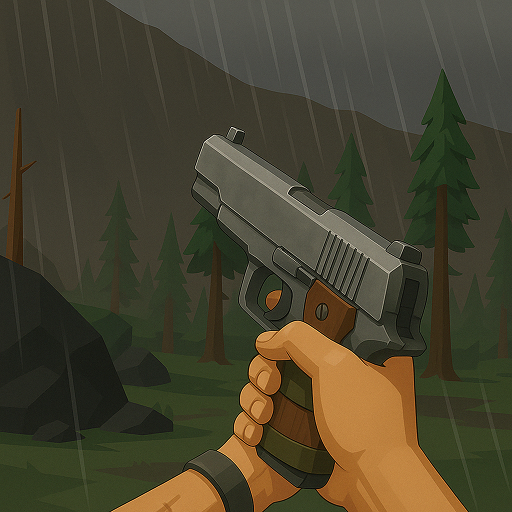
The world after the zombie apocalypse is a grim place. You were born into it, so you will have to struggle to survive and fight against many kinds of zombies, bandits and dangerous boss monsters. You will go on important story quests and many side quests, level up your skills and perks, sell and buy equipment, and communicate with the (un)lucky survivors. SURVIVAL RPG AND FIRST-PERSON SHOOTER Walking Zombie 2 is a good old FPS with story, with dozens of quests and a lot of shooting stuff with different weapons. Your main enemies are zombies who already control the world. They are everywhere, in many different kinds and - most importantly - in great numbers. You will be using guns with different ammo, grenades or melee weapons to finish them off. Meanwhile, you will be able to heal yourself with medkits and food. As you complete more and more quests, your character will become stronger with better equipment, enhanced skills and gained perks. Are you going to get more hit points, a better chance when lockpicking locks or a lower fuel consumption while driving across the world map? FEATURES • Good old single player post-apocalyptic FPS • Attractive modern polygon graphics style • Karma system - good and bad deeds create new options and encounters • Dozens of story and side quests • Many weapons, protective gear and other equipment • Weapon skins • A variety of enemies - zombie walkers, bandits, and huge boss mutants • Traders in settlements • Fun mini games and sniper missions STORY OF THE CHOSEN ONE WITH A TRAGIC PAST Can your story end happily after such a tragic beginning? Because of the circumstances surrounding your birth, you are the only one who can save the world. You are immune to the effects of the virus that turns people and animals into zombies. That also makes you a perfect weapon against the undead masters of the planet and the symbol of hope for a better tomorrow. Together with friends that you will make on your path, find out the whole truth about your origin and search for the way to create a cure, despite the dangers lurking behind every corner.
Create screenshots like The Walking Zombie 2: Shooter
Use FlyerBanana's free editor to create professional App Store screenshots inspired by The Walking Zombie 2: Shooter's design. 100+ templates, device frames, and one-click export.










