App Store Screenshots (9)





Design Analysis
Visual Design
App Insights
About Timeleft: Make New Friends IRL
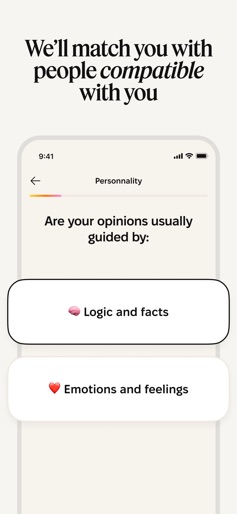
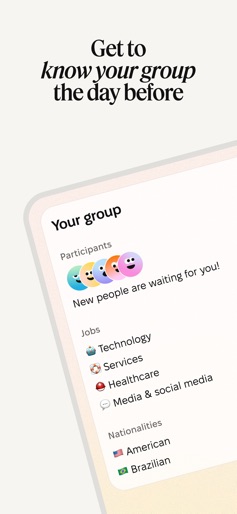
Dinner with 5 strangers. Every week. In your city. Timeleft matches you with like-minded people for a shared meal in 250+ cities across 55 countries. No swiping. No pressure. Just a meal with new friends. ▶ HOW IT WORKS ◀ [ Take the Personality Quiz ] • Start with a short quiz to help us understand your vibe, values, and social energy. [ Choose Your Preferences ] • Select your neighborhood, language, dietary needs, and budget. [ Get Matched for Dinner ] • We pick your group and reserve a curated restaurant that fits your profile. [ Show Up and Share a Meal ] • Meet five people you didn’t know you needed, with an icebreaker game to get things flowing. [ Stick Around for Last Drinks ] • In some cities, meet more people at a surprise bar revealed during your dinner. [ Stay in Touch if It Clicks ] • Give a thumbs up. If it’s mutual, you’ll be able to chat in the app afterward. ▶ WHY PEOPLE LOVE TIMELEFT ◀ [ Real People, Not Profiles ] • No apps to scroll. No bios to decode. Just good food and better conversation. [ Something New Every Week ] • Different people, restaurants, and conversations—every dinner is a new experience. [ Built for Locals and Travelers ] • Great if you're new to town, just visiting, or want to expand your circle. [ OPTIONAL WOMEN-ONLY DINNERS ] • Join a women-only dinner table on Tuesdays in select cities with other curious, open-minded women. [ Curated, Not Random ] • Your group is matched for chemistry, with care for age balance, energy, and shared mindset. [ Not a Dating App ] • Timeleft is about human connection, not romantic pressure. You might meet a friend—or a whole new crew. ▶ BOOK YOUR SEAT ◀ [ Single Ticket or Subscription ] • Join once or subscribe to unlock access to weekly dinners. [ What’s Included ] • Personality matching, restaurant booking, group coordination, and conversation starters. [ What’s Not ] • Pay for your food and drinks at the restaurant—only what you order. More than 100,000 people each month are trading small talk for something real. Pull up a chair. Your next favorite night starts with Timeleft. • Terms: https://timeleft.com/terms-conditions/ • Support: https://help.timeleft.com/hc/en-150
Create screenshots like Timeleft: Make New Friends IRL
Use FlyerBanana's free editor to create professional App Store screenshots inspired by Timeleft: Make New Friends IRL's design. 100+ templates, device frames, and one-click export.