

App Store Screenshots (7)


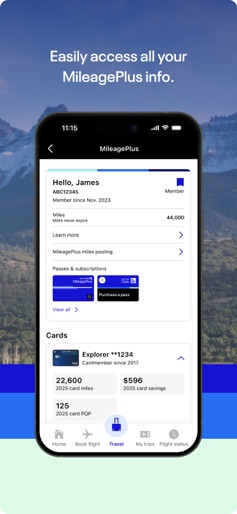
Design Analysis
Visual Design
Style: iOS Native
Key Features Shown
- •Flight Status Tracking
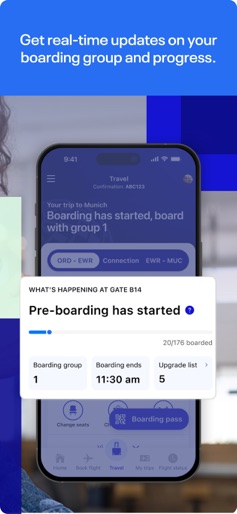
- •Boarding Group Progress Bar
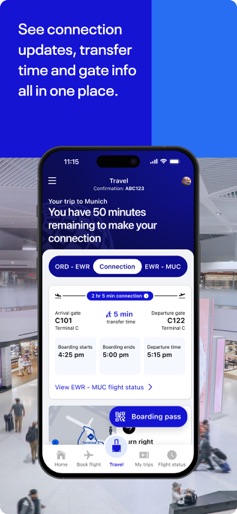
- •Connection Time Calculator
- •Live Activities (Lock Screen)
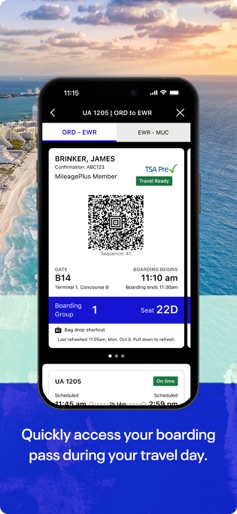
- •Digital Boarding Pass with TSA Pre-Check
App Insights
Target: Leisure and business travelers, specifically those residing in or traveling to United Airlines hub cities (Chicago, Denver, Houston, etc.).
- •In-app flight bookings
- •Ancillary services (seats, bags, Wi-Fi)
- •Loyalty program (MileagePlus)
- •Co-branded credit card lead generation
ASO Keywords:
About United Airlines
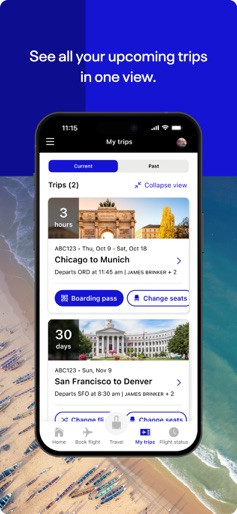
Meet the United app From planning, to booking, to day of travel, we’ve got you covered. On our app you can: • look for flights across our global network and book them easily • check in for your flight and get your boarding pass before you get to the airport • change seats, or flights, if something better becomes available • make sure you’re prepared for your trip with our Travel-Ready Center • add your bags, drop them at bag drop shortcut and track them along your journey • get real-time updates on boarding progression so you know when it's your turn to board • view flight updates, transfer time and gate info all in one place to feel prepared for your connection • see live updates on your lock screen and Apple Watch • use our built-in Terminal guide and airport maps to find your gate and navigate the airport with ease • watch movies, play games and pay for inflight snacks and drinks while you’re in the air • enroll in MileagePlus or manage your MileagePlus account and use your miles to book award travel in our app • use high-speed inflight Wi-Fi enabled by Starlink which is now available on select flights, free for MileagePlus members • talk, text or video chat with an agent if you have any questions • figure out your next move if your flight is delayed or canceled
Create screenshots like United Airlines
Use FlyerBanana's free editor to create professional App Store screenshots inspired by United Airlines's design. 100+ templates, device frames, and one-click export.











