

App Store Screenshots (8)




Design Analysis
Visual Design
App Insights
About Vampire's Fall 2
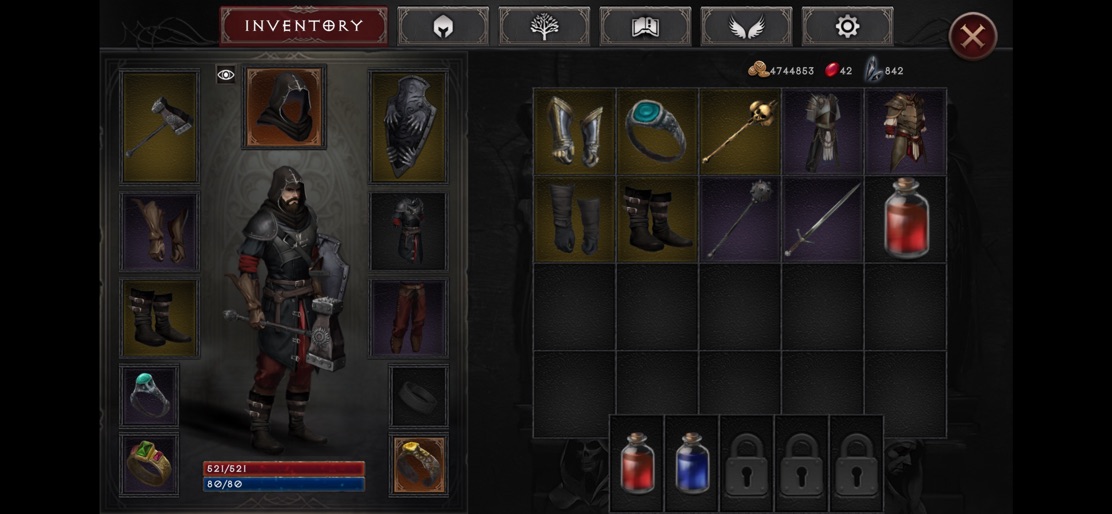
Update just released! Jump back in for Tier 6 Brutals, new items, and more. Vampire's Fall 2 is the highly-anticipated sequel to the dark fantasy RPG classic Vampire’s Fall: Origins, which captivated over 10 million players worldwide. Dive back into a realm shrouded in darkness, mystery, and peril. Whether you're a returning champion or a new adventurer seeking your destiny, Vampire's Fall 2 delivers an immersive RPG experience filled with vampires, intrigue, and tactical depth. Set in a richly crafted 2D open world, Vampire's Fall 2 offers a seamless gameplay experience—no loading screens between exploration and combat. Witness your character's every detail, from armor to weapons, directly in the immersive world view. Engage enemies strategically, with battles occurring directly within the exploration mode, drawing you deeper into its atmospheric darkness. Embark on a thrilling journey as you become a vampire early in the story, unlocking powerful abilities and new strategic gameplay elements. Your progression in Vampire's Fall 2 is enhanced by a refined leveling system, offering randomized bonuses at each level-up, allowing you to deeply customize your combat style—prioritizing health, agility, magical power, or tactical prowess. Explore a living world filled with vibrant details and engaging interactions. NPCs realistically move around, following their daily routines and adding layers of immersion. With no random encounters, you have the freedom to choose your battles, confronting visible threats strategically. Engage in tactical battles that allow you to use HP and FP potions strategically, each action consuming precious turns and demanding thoughtful decisions. Discover an expanded arsenal with six special weapon types, including the dagger and katana, offering deeper customization and tactical flexibility. The world itself is more densely crafted, minimizing empty space and maximizing your adventure time, ensuring less running around and more meaningful exploration. Vampire's Fall 2 also offers integrated chat functionality, conveniently placed within the UI, enabling you to communicate effortlessly while continuing your adventure uninterrupted. PvP combat is available from day one, allowing you to immediately test your skills and tactics against other players. Step into the shoes of an enigmatic hero, transformed by the shadows, whose choices shape the world around them. Do you have what it takes to master your vampiric powers and confront the darkness? Adventure awaits—embrace your destiny in the world of Vampire's Fall 2.
Create screenshots like Vampire's Fall 2
Use FlyerBanana's free editor to create professional App Store screenshots inspired by Vampire's Fall 2's design. 100+ templates, device frames, and one-click export.
More Adventure Apps
View all

Zombie Catchers : Hunt & sell
Adventure

Crafting and Building
Adventure


Dragon City: Mobile Adventure
Adventure


Harry Potter: Hogwarts Mystery
Adventure


Pokémon GO
Adventure


Super Bino Go:Adventure Jungle
Adventure