

App Store Screenshots (3)
About WeighIt - Weight Tracker
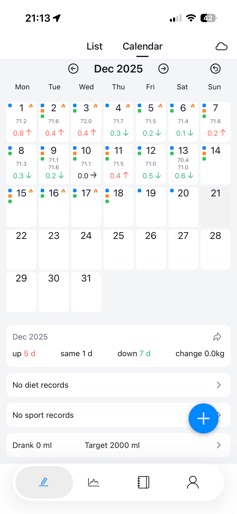
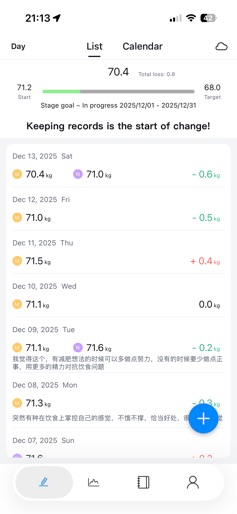
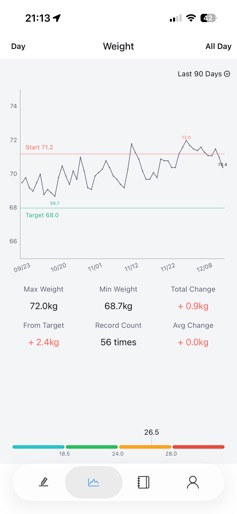
This is a minimalist weight tracking app dedicated to helping you accurately monitor weight changes, making health management simpler and more intuitive. It not only supports weight recording and trend viewing, but also offers a variety of auxiliary functions to help you take full control of your health. Key Features: 1. Weight Recording: Accurate to 0.1kg, easily log your daily weight and track every tiny change. 2. Calendar View: Conveniently check daily records and intuitively grasp weight trends. 3. Trend Chart: Visually display weight change trends and keep track of fat loss progress at any time. 4. Auxiliary Functions: Support comprehensive recording of diet, exercise, water intake, journal, fasting, bowel movements, menstrual cycle, body measurements and more, facilitating every detail of health management. Suitable For: 1. Anyone who values weight data and needs to accurately record every tiny change; 2. Those looking to systematically log health habits like diet and exercise; 3. People on a fat loss or body shaping journey who want to track progress intuitively. Record Easily in Seconds a DaySay goodbye to cumbersome operations, simply record weight and health data. Use data to track changes and make every health management effort easier.
Create screenshots like WeighIt - Weight Tracker
Use FlyerBanana's free editor to create professional App Store screenshots inspired by WeighIt - Weight Tracker's design. 100+ templates, device frames, and one-click export.