

App Store Screenshots (9)




Design Analysis
Visual Design
App Insights
About YouCut - Video Editor & Maker
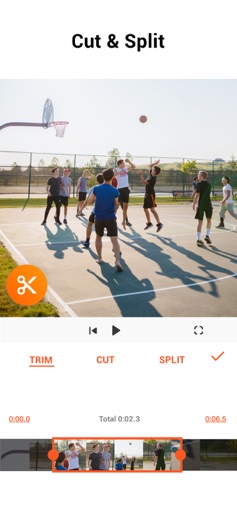
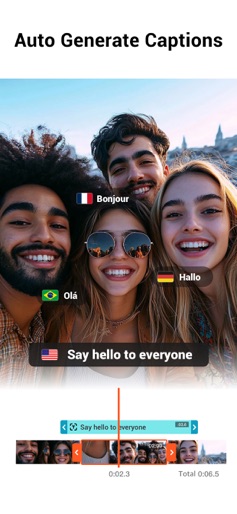
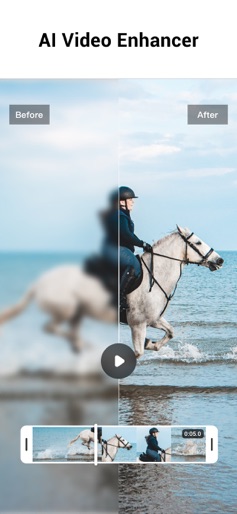
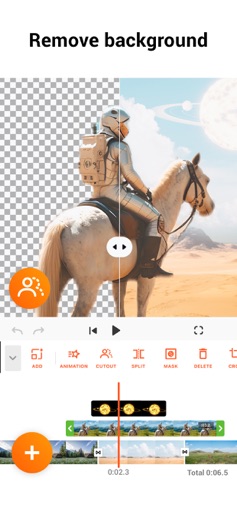
YouCut as an AI [Video Editor] & [Video Maker] for YouTube and other social media, features a unique timeline design that makes video editing easier and more efficient. Easy to edit videos with music, AI effects, captions, emoji, text to speech, etc. [Easy & No Watermark] Edit videos like a pro. Whether you want to make photo videos or share moments with friends, YouCut is the best video editing app with all features you need. Features: [Powerful Video Editor and Movie Maker] YouCut as one of top AI video editor apps, provide you with AI Avatar, AI Captions, AI Enhance, AI Cutout, etc. You can zoom in/out timeline for precisely editing. No banner ads. [AI Video Editor] AI Video Enhance - Restore blurry videos and photos to HD. Auto Captions - Generate accurate captions for social media. [Video Speed Control] Fast/slow motion video (Adjust video speed from 0.2× to 100×), Edit video and adjust speed with video filters and effects. [Photo Slideshow Maker] Music video editor with photos, professional video combiner, merge photos to create slideshow. Make video collage easily with Picture-in-Picture (PIP), keyframe. Combine videos with photos, add custom photo cover, auto captions for video, edit videos with music like a pro. [No Watermark] As music video editor and full screen video maker for YouTube, YouCut never add Watermark to your video. There is no banner ads on the screen, unlike other video editing apps. [Add Music to Video] It is a pro TikTok editor and YouTube intro maker that meets all your needs. 1. 100+ music and built-in sound effects. 2. Edit videos with your music. 3. Extract music from video. [Video Filters & AI Effects] Add movie style video filters and AI effects to video. Best Movie maker to enhance quality without watermark. [Video Color Adjust] Adjust video brightness, contrast, saturation, etc. Custom video filters and effects. Best movie cutter and AI captions generator for videos. [Change Video Background] 1. Change background color of your video, blur background. 2. Remove background with AI in a tap. [Keyframe] Add motion to clips by keyframe. [Video Compressor] 1. HD video maker & TikTok editor. 2. YouCut - AI video editor and video maker support resolution up to 4K. [Share Video] Directly share video to YouTube, Instagram, TikTok…to get hundreds of 'likes'! AI Art Generator, Photo Slideshow, Add music, materials, captions for video, Apply transition effects, Apply FX video filters, Rotate video, Share to YouTube... Fast/Slow motion video editor without losing video quality! If you have any question about YouCut (pro video editor, video cutter & video enhancer, photo slideshow maker), please email us at: youcut.ios@inshot.com For more tutorials, subscribe us on YouTube @YouCutApp [YouCut Pro Unlimited Subscription] - With an YouCut Pro Unlimited subscription, you have access to all features and paid editing materials. - YouCut Pro Unlimited subscription is billed annually. In addition, a one-time payment will be offered if needed, which is not one of the subscription plan. - Payment will be charged to iTunes Account at confirmation of purchase. - Subscription automatically renews unless auto-renew is turned off at least 24-hours before the end of the current period. - Account will be charged for renewal within 24-hours prior to the end of the current period, and identify the cost of the renewal. - Subscriptions may be managed by the user and auto renewal may be turned off by going to the user's Account Settings after purchase. - Any unused portion of a free trial period, if offered, will be forfeited when the user purchases a subscription to that publication, where applicable. [Terms of Use] https://inshot.cc/terms/terms_youcut.pdf [Privacy Policy] https://inshot.cc/terms/privacy_youcut.pdf [Disclaimer] YouCut is not affiliated, associated, sponsored, endorsed by, or in any way officially connected with YouTube, Instagram, TikTok, Facebook.
Create screenshots like YouCut - Video Editor & Maker
Use FlyerBanana's free editor to create professional App Store screenshots inspired by YouCut - Video Editor & Maker's design. 100+ templates, device frames, and one-click export.
More Photo & Video Apps
View all

Photo Lab Picture Editor & Art
Photo & Video
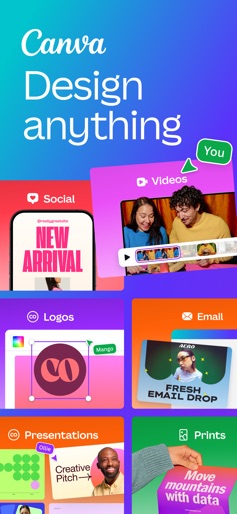
Canva: AI Photo & Video Editor
Photo & Video


Twitch: Live Streaming
Photo & Video


Video Editor & Maker - InShot
Photo & Video


PicCollage: AI Photo Editor
Photo & Video


Picsart AI Photo Editor, Video
Photo & Video