
App Store Screenshots (10)



Design Analysis
Visual Design
App Insights
About American Airlines
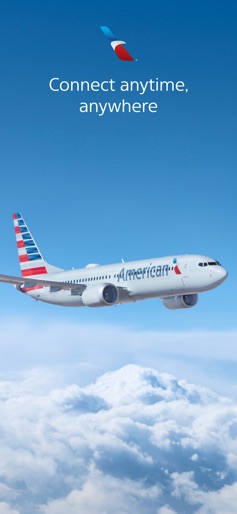
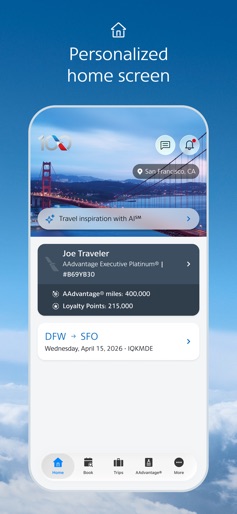
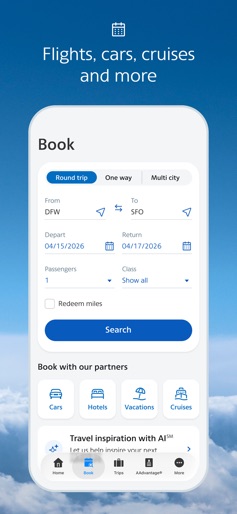
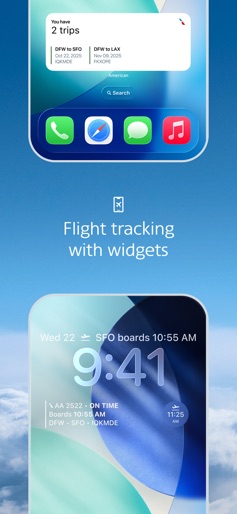
With the American Airlines app, you’re covered with the information you need exactly when you need it. Curious about traffic to the airport? Need a mobile boarding pass? Wondering where the closest Admirals Club® lounge is? All of this info and more is available at your fingertips. - Live Activities: Track your flight in real-time right from your Lock Screen, Dynamic Island and your Apple Watch's Smart Stack. - Lock Screen & Home Screen widgets: See your next trip's details with our dynamic widgets. - Personalized home screen: See your next trip, AAdvantage® status, miles and Loyalty Points. - Booking: Book your next trip along with our hotel, car, cruise and vacation partners right from the app. - Mobile boarding pass: Check in for your trip and retrieve your mobile boarding pass. No need to print, and it’s updated along the way. - Interactive terminal maps: Navigating airports is a breeze with our interactive terminal maps. Find the closest Admirals Club® lounge or get directions to your connecting gate. - AAdvantage® account details: Review all the details of your AAdvantage® account right from your account dashboard. Not an AAdvantage® member? Sign up today. - Seat selection: Choose or change your seat within the app. Just pick the one you’d like and change it on the spot. - Track your bag: Know exactly where your bag is from the time it leaves your hands to when you extend the handle at your destination. - Save your trip: Your recently viewed trips are automatically saved in the app so you can easily grab the details for your next flight in seconds. - Quick interactions: The American app utilizes Haptic Touch and is Apple watch compatible, giving you quick access to the most important info. - Wi-Fi access in the air: Don’t forget, on flights with Wi-Fi you can use the American app and aa.com at no cost. There’s a new group of flyers out there – The World’s Greatest Flyers. They know that having the right travel tools makes for a great experience. The sky’s the limit with the American Airlines sticker pack! Let friends and family know that you’re traveling, headed to the Admirals Club® lounge to take it easy before taking off, snapping photos at 30,000 feet or that you’ve arrived. Contact Us: 800-222-2377
Create screenshots like American Airlines
Use FlyerBanana's free editor to create professional App Store screenshots inspired by American Airlines's design. 100+ templates, device frames, and one-click export.
More Maps & Navigation Apps
View all

United Airlines
Maps & Navigation


Google Maps
Maps & Navigation


Southwest Airlines: Travel App
Maps & Navigation


The Weather Channel - Radar
Maps & Navigation


Expedia: Hotels, Flights, Cars
Maps & Navigation


Waze Navigation & Live Traffic
Maps & Navigation