

Atto - Time Clock & Scheduling
Specta Labs, Inc.
Create Screenshots Like Atto - Time Clock & SchedulingApp Store Screenshots (10)


Design Analysis
Visual Design
Style: iOS Native
Key Features Shown
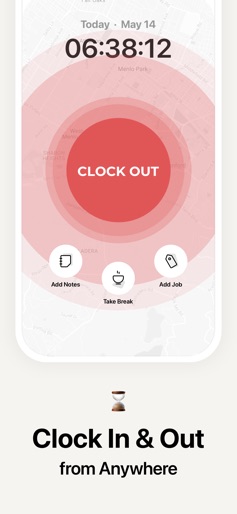
- •Clock In/Out UI
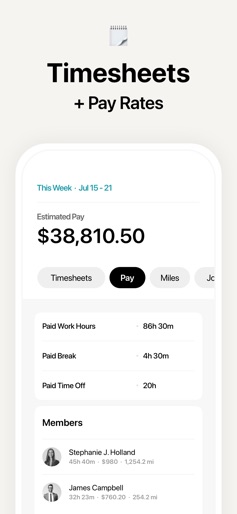
- •Timesheet Summary
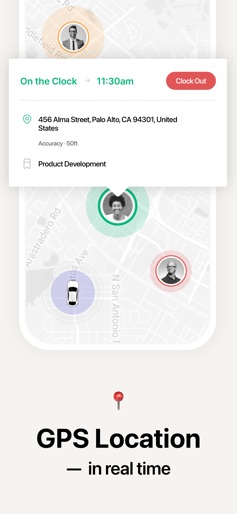
- •Real-time GPS Map
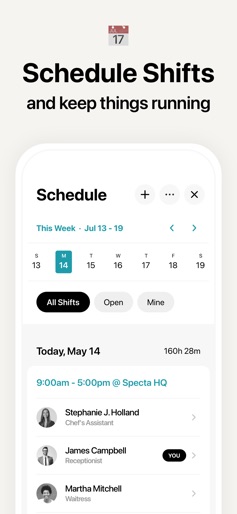
- •Shift Scheduling Calendar
- •Estimated Pay Calculation
App Insights
Target: Small to medium-sized businesses (SMBs) with field teams, hourly workers, or multiple job sites requiring oversight.
- •Monthly Subscription
- •Annual Subscription
- •Per-user seat licensing (based on reviews)
ASO Keywords:
About Atto - Time Clock & Scheduling
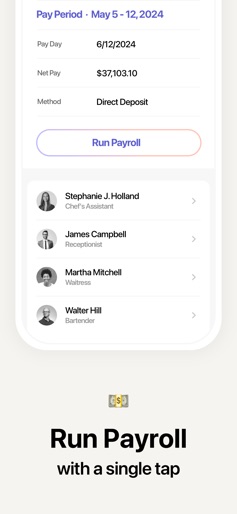
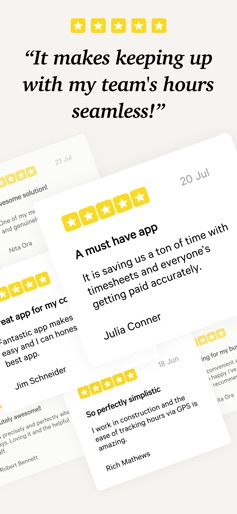
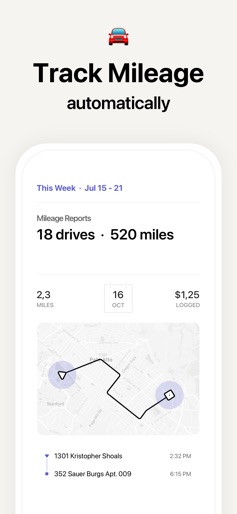
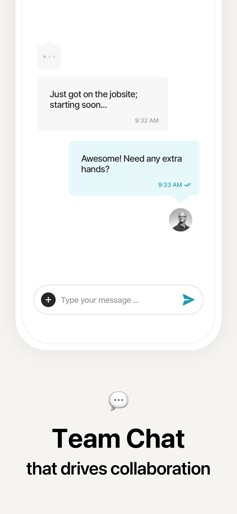
Trusted by 15,000+ businesses, Atto is the simplest way to manage your team. Ditch paper timesheets, endless spreadsheets, and payroll headaches. Atto gives you everything in one easy app: time tracking, GPS location, shift scheduling, and 1-click payroll — fast, reliable, and compliant. See what our customers say: "Atto is so easy to use, and my team actually likes it. That’s not something I could say before." – Jenna M, Operations Manager, 23 employees "I love knowing everyone’s hours are tracked correctly without having to double-check everything." – Justin E., Business Owner, 52 employees Why You'll Love Atto: • Track Hours Accurately: Simple clock in and out for your employees, wherever they are. • Save Time & Money: Automate timesheets and save up to 4 hours on payroll admin. • Know What's Happening: See your team's location in real-time with live GPS tracking. • Build Schedules in Minutes: Create & share shifts instantly. Eliminate no-shows. • Keep Everyone in Sync: Use team chat and get live work updates in one place. • Works anywhere: Mobile or web, at the office, on site, or on the go. All-In-One Toolkit for Your Business: TIME TRACKING & TIMESHEETS - GPS Time Clock: Mobile time tracking with breaks, notes, and overtime. - Automated Timesheets: Simplify timesheet management for accurate payroll. - Job Codes: Track labor by project, task, or cost center. - Timesheet Approvals: Review, edit, and approve in minutes — export-ready for payroll. - Time Off Tracking: Manage leave efficiently, ensuring uninterrupted operations. EMPLOYEE SHIFT SCHEDULING - Build Shifts in Minutes: Create, copy, and edit employee schedules quickly. - Trades & Covers: Facilitate shift trades & covers without managerial oversight. - Easy Coordination: Keep everyone on the know with instant shift updates. - Smart Reminders: Reduce missed clock ins with helpful nudges. GPS LOCATION & MILEAGE TRACKING - Mileage Tracking: Track drives automatically for accurate reimbursements. - Real-Time GPS Tracking: See who’s on the clock and where they’re working. - Location History Report: Review routes and visit times to optimize operations. PAYROLL PROCESSING - One-Click Payroll Processing: Run seamless payroll in minutes, not hours. - Perfect Paydays, Every Time: Empower every employee with fast, transparent payouts. - Simplified Tax Filing: Instantly file taxes without the dread of miscalculations. - Accuracy & Compliance: 100+ government agencies? One click. Always compliant. TEAM COLLABORATION - Team Chat: Whether it’s 1-on-1 or group chats, keep your team communication in one place. - Activity Feed: See clock-ins, locations, jobs, and status changes. - Reports: Timesheet, overtime, projects, and mileage — export and share. Atto offers two subscription options: • $9.95/month • $94.90/year (Price may vary by location) Payment will be charged to your Apple ID account at the confirmation of purchase. Subscription automatically renews unless it is canceled at least 24 hours before the end of the current period. Your account will be charged for renewal within 24 hours prior to the end of the current period. You can manage and cancel your subscriptions by going to your account settings on the App Store after purchase Terms and Conditions: https://attotime.com/terms Privacy Policy: https://attotime.com/privacy
Create screenshots like Atto - Time Clock & Scheduling
Use FlyerBanana's free editor to create professional App Store screenshots inspired by Atto - Time Clock & Scheduling's design. 100+ templates, device frames, and one-click export.











