

App Store Screenshots (6)




Design Analysis
Visual Design
App Insights
About Call Recorder - RecMyCalls
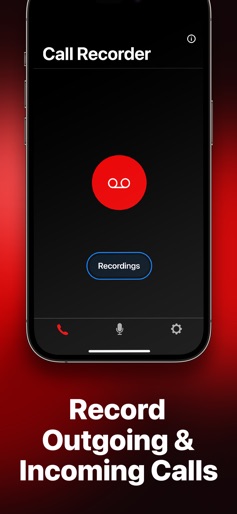
Need easy recording of incoming and outgoing phone calls? Try Call Recorder by RecMyCalls, your handy audio & voice recorder! Recording incoming and outgoing calls was never so easy! Record any calls in a few taps and access conversations anywhere, anytime! RecMyCalls offers everything you need to record your calls and manage recordings: – Easy record incoming calls – Record outgoing calls in few taps – Access recordings as soon as conversation is over – Share recordings with other devices – Export recordings to other apps – Rename recording for easy identification – Record voice memos with the Voice Recorder feature – Convert your recordings to text and export the transcriptions – Highly intuitive interface – Great customer service – Unlimited number of recordings RecMyCalls uses your carrier's conference call feature to record conversations. If you cannot merge calls, please contact your carrier to find out if conference calling is available on your account. Please mind that it is your sole responsibility to warn your dialog partner that you are going to record a call. You can try a free trial with all features available. Please note that RecMyCalls cannot record new calls without active subscription, but allows listening to previously recorded conversations. UNLIMITED ACCESS MEMBERSHIP SUBSCRIPTION • You can purchase a subscription to get unlimited access to all features within RecMyCalls—unlimited call and voice recording, audio transcription, and cloud storage for your recordings. • Subscriptions are billed weekly, monthly, quarterly or annually at the rate selected depending on the subscription plan. • Payment will be charged to iTunes Account at confirmation of purchase. • Subscription automatically renews unless auto-renew is turned off at least 24-hours before the end of the current period. • Account will be charged for renewal within 24-hours prior to the end of the current period. The cost depends on the selected plan. • Subscriptions may be managed by the user and auto-renewal may be turned off by going to the user's Account Settings after purchase. • Any unused portion of the free trial will be forfeited when the user purchases a subscription. RecMyCalls also offers a Lifetime subscription with unlimited access to the RecMyCalls forever. By using RecMyCalls, you are agreeing to our Privacy Policy and Terms of Use: http://bpmob.com/callrecorderfree/privacy/ http://bpmob.com/callrecorderfree/terms/
Create screenshots like Call Recorder - RecMyCalls
Use FlyerBanana's free editor to create professional App Store screenshots inspired by Call Recorder - RecMyCalls's design. 100+ templates, device frames, and one-click export.











