

App Store Screenshots (10)





Design Analysis
Visual Design
Style: Custom
Key Features Shown
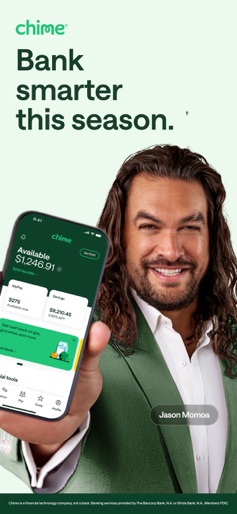
- •MyPay early access
- •SpotMe overdraft
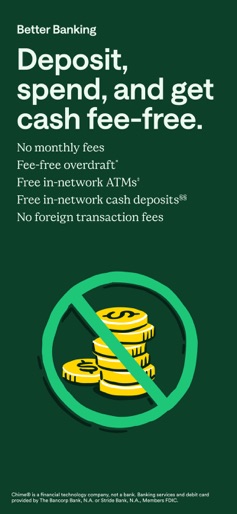
- •Fee-free ATM locator
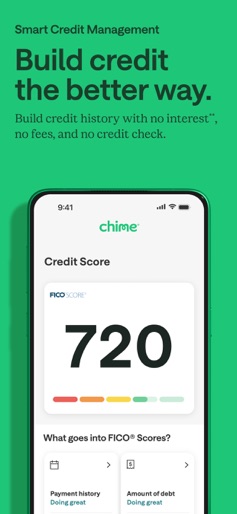
- •Credit Score monitoring
- •High-yield savings
App Insights
Target: Underbanked or credit-challenged individuals in the US looking for fee-free alternatives to traditional banking and early access to wages.
- •Interchange fees from Visa transactions
- •Optional instant transfer fees ($2 for MyPay)
- •Interest on cash reserves
- •Optional user tips (SpotMe)
ASO Keywords:
About Chime – Mobile Banking
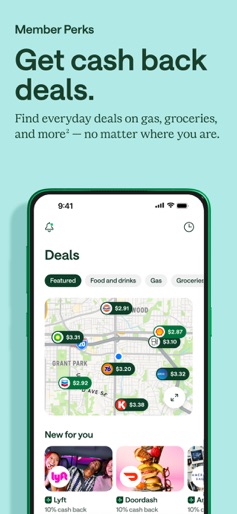
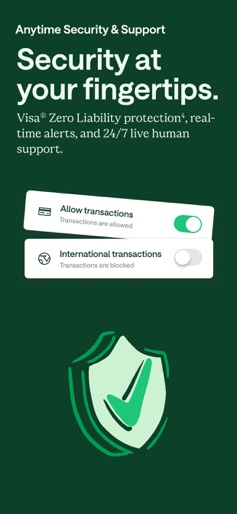
Unlock financial progress™ with Chime—credit tools, access to early pay, and no monthly fees. Chime is a financial technology company, not a bank. Banking services provided by The Bancorp Bank, N.A. or Stride Bank, N.A., Members FDIC. EARLY PAYDAY Direct deposit with Chime to get early access to your pay, up to $500^. No interest~, no credit check, and no mandatory fees. SPOTME® Get covered up to $200* on debit and credit card transactions and cash withdrawals with no overdraft fees. BETTER BANKING A checking account with fee-free in-network cash deposits§§, spending, overdraft coverage, free in-network ATMs‡, and more. SMART CREDIT MANAGEMENT Protect, maintain, and grow your credit with everyday purchases and regular on-time payments‡‡. EASY SAVINGS Enjoy automatic savings tools and a high-yield savings account1. ANYTIME SECURITY AND SUPPORT Keep your money safe with 24/7 live support. ATMS Access 47k+ fee-free‡ ATMs at locations like Walgreens and more. PAY ANYONE WITH NO TRANSFER FEES Send money to friends or family as fast3 as a text. –––– The Chime Visa® Debit Card and the secured Chime Visa® Credit Card are issued by The Bancorp Bank, N.A. or Stride Bank, N.A., pursuant to a license from Visa U.S.A. Inc. and may be used everywhere Visa debit or credit cards are accepted. MyPay® line of credit provided by The Bancorp Bank, N.A. or Stride Bank, N.A. ^Eligibility requirements apply, including receipt of qualifying direct deposits as set forth in the MyPay Agreement. Not all users will qualify. Credit limits range from $20-$500. ~Option to get funds instantly for $2 per advance or get funds for free within 24 hours. See Bancorp MyPay Agreement or Stride MyPay Agreement for details at www.chime.com/policies. *Eligibility requirements and limits apply. Overdraft only applies to debit and credit card transactions and cash withdrawals. Limits range from $20-$200. ‡Out-of-network ATM withdrawal and over the counter advance fees may apply except at MoneyPass ATMs in a 7-Eleven, or any Allpoint or Visa Plus Alliance ATM. ‡‡Late payment may negatively impact your credit score. Results may vary. §§Once the retailer accepts your cash, the funds will be transferred to your Chime account. Cash deposit fees may apply if using a retailer other than Walgreens and Duane Reade. **Out of network ATM withdrawal and OTC advance fees may apply. View the Bancorp agreement or Stride agreement for details; see back of card for issuer. §The Annual Percentage Yield ("APY") for the Chime Savings Account is variable and may change at any time. The disclosed APY rate is effective as of [10/15/2025]. No minimum balance required. Must have $0.01 in savings to earn interest. The 3.50% Chime+ APY is available only while you maintain eligibility requirements for Chime+, otherwise the 1.00% APY for non-Chime+ members will apply. See Chime+ Terms and Conditions for details. ¹Chime Checking Account required to apply. 3Sometimes instant transfers can be delayed. The recipient must use a valid debit card to claim funds. See your issuing bank’s Deposit Account Agreement for full Pay Anyone Transfers details. 4You must notify your financial institution immediately of any unauthorized use. For specific restrictions, limitations and other details, please consult your issuer. +Ranking according to the Federal Reserve Statistical Release based on domestic assets; number of ATMs self-reported by Chase, Bank of America and Wells Fargo - June 2025. 2Eligibility requirements and limits apply. See Chime Deals® Terms and Conditions.
Create screenshots like Chime – Mobile Banking
Use FlyerBanana's free editor to create professional App Store screenshots inspired by Chime – Mobile Banking's design. 100+ templates, device frames, and one-click export.
More Banking Apps
View all

Branch: Instant Loan & Banking
Banking


Credit Sesame: Grow Your Score
Banking

SoFi: Bank, Invest & Crypto
Banking


MoneyLion: Banking & Cash Back
Banking


ZET-FD Card, Credit Score, UPI
Banking

Monzo - Mobile Banking
Banking