

App Store Screenshots (6)

Design Analysis
Visual Design
App Insights
About CleverType AI Keyboard
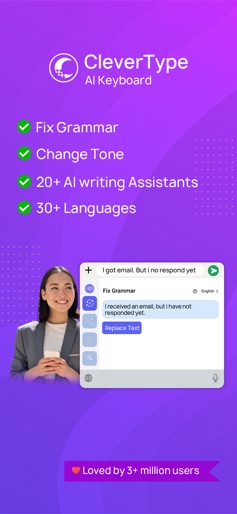
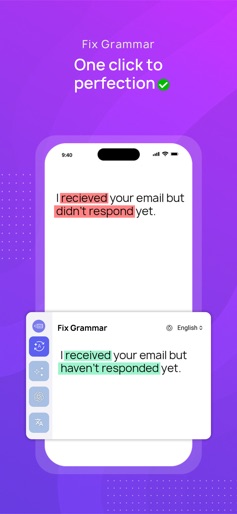
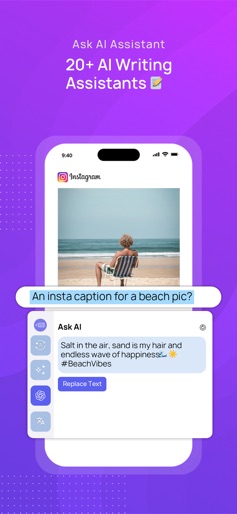
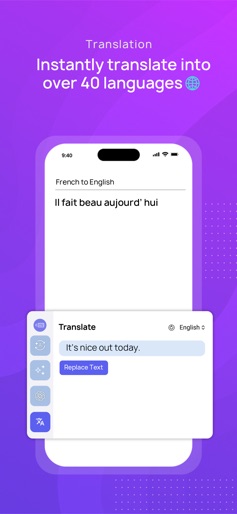
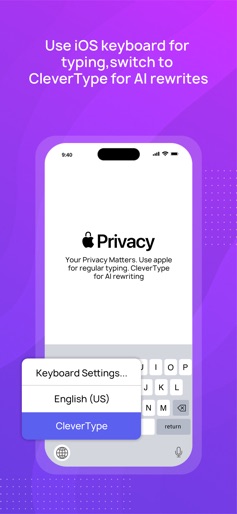
Make every word perfect. Grammar fixes, rephrasing, translation, and 30+ AI tools. all inside your keyboard. AI keyboard designed for Grammar correction, Rephrase, AI on your Keyboard, Translate and 20+ writing assistants . CleverType is more than just a keyboard app. Whether you need a grammar check, want to paraphrase sentences, or use AI writing assistants, CleverType is the writing tool you need for every situation. Key Features of CleverType AI Keyboard - Smart Grammar Correction & AI Grammar Checker Fix grammar, spelling, and punctuation errors instantly with our AI grammar checker. The grammar correction feature supports over 40 languages, making it easy to write error-free English and other languages. One tap is all it takes for a grammar correction fix, so you can write emails, messages, and documents without mistakes. - Rephrase, Paraphrase & Change Tone Easily rephrase sentences or paraphrase your text to match any tone: professional, casual, polite, funny, romantic, formal, sarcastic, poetic, and more. Use the AI rephraser and formal rephrase tool to adjust your message for different contexts. The rephraser, paraphraser, and ai paraphrasing tools make rewriting and rephrasing simple. With tone detection, ensure your message is always understood as intended. - AI Writing Assistants Access 30+ AI writing assistants directly from your keyboard. These assistants help with grammar correction, grammar check, rephrase, paraphraser ai, paraphrasing, translation, summarizing, and adding emoji. You can create your own ai writing assistant by giving custom instructions. Perfect for anyone who needs a writing tool for advance automation, social media posts, ai email, or business communication. - AI Translate & Translation Tools CleverType includes a translation for over 40 languages. Translate text quickly and naturally with context-aware translation. Whether you’re translating text for chatting in English, Spanish, French, or any other supported language, the AI translation keeps your sentences clear and accurate. Turn your keyboard into a translator with seamless ai typing and ai writing. - Smart Autocorrect & Spell Check Avoid mistakes with smart autocorrect and reliable spell check. The keyboard AI checks your writing in real time, helping you fix sentences and avoid common errors. Whether you need advanced grammar correction or a quick grammar correction fix, CleverType is your smart writing assistant. - Privacy Your privacy is important. CleverType never tracks or saves your typing data. You can trust that your information stays private with our secure privacy commitment. For more information, read our privacy policy. Why Choose CleverType AI Keyboard? • Enjoy seamless grammar correction and clear writing every time • Rephrase and paraphrase text with one tap • Use a writing for emails, social posts, and business communication • Access 30+ ai writing assistants for grammar, translation, summarizing, and more • Translate and chat in 40+ languages with ai translate • Benefit from smart autocorrect, spell check, and grammar check • Fix sentences and get formal rephrase options instantly • Customize your keyboard ai with your own instructions • Free to download with the option to upgrade for unlimited use Download CleverType today and experience the benefits of an ai grammar checker, rephraser, paraphraser, translator, and writing tool – all in your pocket. We’re dedicated to improving your typing and writing experience with regular updates. For support or feedback, contact us at support@clevertype.co. Terms of Use: https://www.clevertype.co/terms-and-conditions
Create screenshots like CleverType AI Keyboard
Use FlyerBanana's free editor to create professional App Store screenshots inspired by CleverType AI Keyboard's design. 100+ templates, device frames, and one-click export.










