
App Store Screenshots (5)

Design Analysis
Visual Design
App Insights
About Clone App - Multiple Account
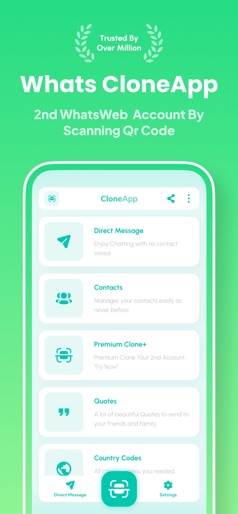
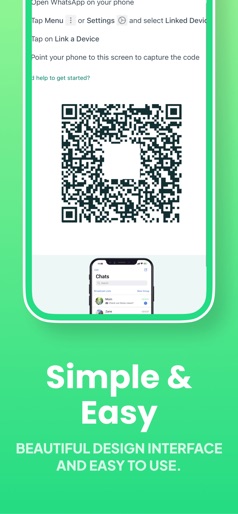
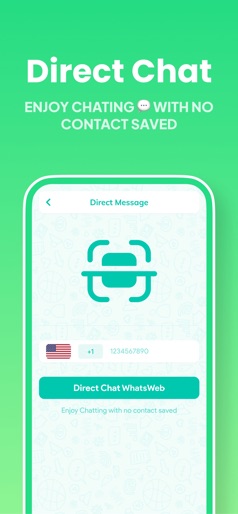
Clone App it's Whats Cloner app helps you to clone another Whatsweb account on your phone Clone App for Whats Web is a utility app which will help you use multiple accounts on a single device. - Do you want to use multiple accounts on one device? - Do you want to separate your personal and professional accounts into their own dual spaces? Communication companies now offer many Applications like Dual Apps or Dual Mode feature (the name may differ from brand to brand) which allows users to run two different accounts of the same chat app, but this not possible for chat app, thats why we offring you Clone app in web browser. How to clone multiple Account, and is it an effective spy method? you can easily clone your personal account to another phone with a by scanning the QR Code. With "Whats Web", you can not only use multiple accounts for whatsapp web but also recover text messages and any media attachments (pictures, videos, voice notes, audio, animated gifs, and stickers), You can also download status and direct message. Features : - Connect to second account via web fast. - Media Sharing: send photo, video, audio, contacts, document files and much more. - Status Saver: (Download photos, videos, audio, contacts , and much more). - Take Screenshots and share them on Messenger apps. - Direct Chat: open chat directly with unknown numbers. - Save photos and video stories with just one click. - Clone popular Social and Gaming Apps; access multiple accounts at the same time on one device. - Enjoy support for almost all major apps and top games! Use multiple accounts for top social media app like dual Facebook, or duplicate Instagram accounts at the same time. - Gain an advantage with dual accounts in top mobile games and have double the fun! - Data from these accounts will never interfere with the others. DISCLAIMER This is an UNOFFICIAL tool for WhatsApp. This app is not affiliated with any other company. Usage in this app falls within the guidelines of "fair use". Terms of Use: https://www.apple.com/legal/internet-services/itunes/dev/stdeula/
Create screenshots like Clone App - Multiple Account
Use FlyerBanana's free editor to create professional App Store screenshots inspired by Clone App - Multiple Account's design. 100+ templates, device frames, and one-click export.











