

Cryptoguru: Trading Simulator
Crypto Guru Trading Academy and Simulator
Create Screenshots Like Cryptoguru: Trading SimulatorApp Store Screenshots (7)

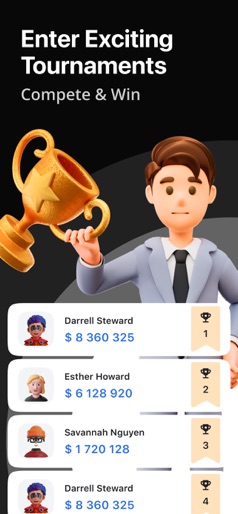


Design Analysis
Visual Design
Style: Hybrid
Key Features Shown
- •Technical Charting (TradingView style)
- •Global Leaderboards
- •Lifestyle Asset Shop (Villas/Yachts)
- •Daily Rewards/Challenges
- •Live Order Book Simulation
App Insights
Target: Novice crypto enthusiasts and casual gamers in emerging markets looking for risk-free exposure to trading mechanics.
- •In-app advertisements (Interstitial and Rewarded)
- •Potential data monetization
- •Affiliate leads to real trading platforms
ASO Keywords:
About Cryptoguru: Trading Simulator
Cryptoguru: Your Gateway to the World of Crypto Trading! Elevate your crypto trading skills to a new level with the updated version of Cryptoguru. Cryptoguru offers a unique opportunity to gain high-quality trading and cryptocurrency experience that closely resembles real stock market practices. Here, you can utilize all the essential tools: stop-loss, take-profit, professional charts, and advanced indicators. Master the intricacies of crypto trading in a safe and motivating environment! WHAT YOU'LL GET: ● Interactive Learning: Dive into the nuances of crypto trading through engaging tasks and mini-games. ● Real Trading Environment: Keep track of real-time quotes 24/7, experiment with various strategies, and enhance your skills. ● Virtual Rewards: Work on increasing your capital, participate in trader tournaments, and win incredible prizes. ● Weekly Tournaments: Compete with other participants, climb to the top of the rankings, and become a true Cryptoguru legend. Cryptoguru - your chance to immerse yourself in the exciting world of cryptocurrencies, where education and entertainment go hand in hand. Join us and discover incredible opportunities! ADDITIONAL FEATURES: ● Wheel of Fortune: Each day becomes even more exciting thanks to our Wheel of Fortune. Whether it's in-game currency, luxurious decorations, or unique profile items, every time you face a new and thrilling challenge. ● Villas, Yachts, Supercars: Start with a small plot and turn it into a luxurious palace. With each new achievement, your property becomes even more impressive. Enjoy every moment of your progress. ● Auctions and Exclusive Shopping: Acquire unique items and stand out among other traders. With Cryptoguru, you'll not only learn the basics of crypto trading but also enjoy gaming elements. Whether you're a professional or a beginner, our platform offers something for everyone. The app is intended for adult users. There is no option to trade with real money or win real cash prizes or gifts in the game. Your winnings or balance cannot be exchanged for real money. Success or experience in the trading simulator does not guarantee success in real-money trading.
Create screenshots like Cryptoguru: Trading Simulator
Use FlyerBanana's free editor to create professional App Store screenshots inspired by Cryptoguru: Trading Simulator's design. 100+ templates, device frames, and one-click export.










